Free Receipt Maker
Fill in who paid, what for and how, and the receipt builds itself beside the form. Download it as a PDF when it looks right. What you type stays on your device.
- Receipt no.
- R-1047
- Payment method
- Visa ending 4242
| Description | Qty | Price | Amount |
|---|---|---|---|
| Full tune-up | 1 | $85.00 | $85.00 |
| Brake pads (pair) | 2 | $24.50 | $49.00 |
| Inner tube 700x25c | 1 | $9.99 | $9.99 |
- Subtotal
- $143.99
- Tax (8.25%)
- $11.88
- Total paid
- $155.87
It's free, and the PDF has no watermark. Your details stay saved in this browser for next time. You can add a logo (PNG, JPG or WebP, up to 5 MB) and pick from 13 currencies, including the US dollar, euro and British pound.
What a receipt should show
A receipt is your customer's proof that they paid you, so make it one they can file. When the customer is a business, your receipt backs up their expense, and the IRS says those supporting documents should identify the payee, the amount paid, proof of payment, the date and a description of what was bought. Each of those has a place on the form:
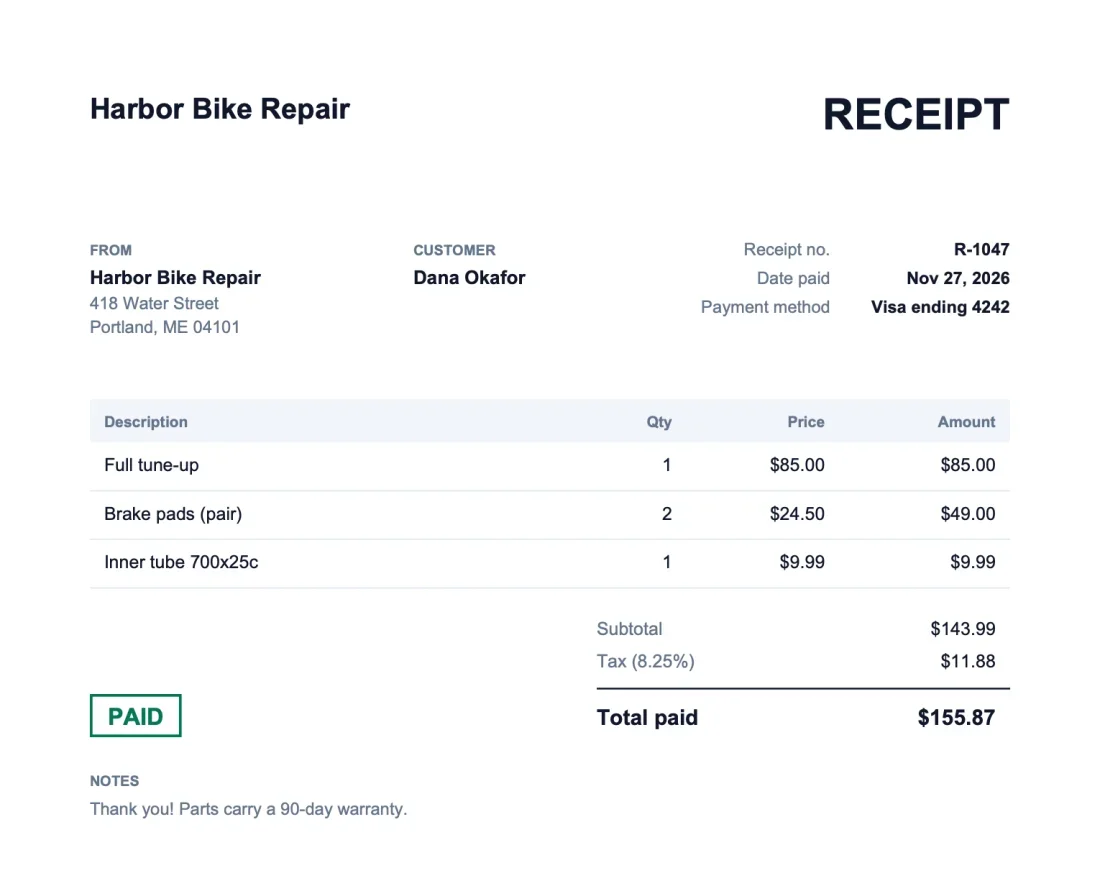
- 1Who was paid: Your business name and address, under From.
- 2What it was for: One line per item or service, with the quantity and price.
- 3How much was paid: Total paid, after any discount and tax.
- 4When it was paid: Date paid.
- 5How it was paid: Payment method, such as Visa ending 4242, a check number or cash.
The bike shop receipt the form opens with, downloaded as a PDF.
Write the payment method the way the customer's statement will show it: "Visa ending 4242", not "Card". The card or bank statement is what proves the payment, and those four digits let them match your receipt to the charge.
Receipt or invoice?
An invoice asks to be paid. A receipt says the money came in. The items and the amounts stay the same, so the receipt for a paid invoice changes only the lines about payment. Here's the bike shop's order as the invoice Dana got first and the receipt she got after paying:
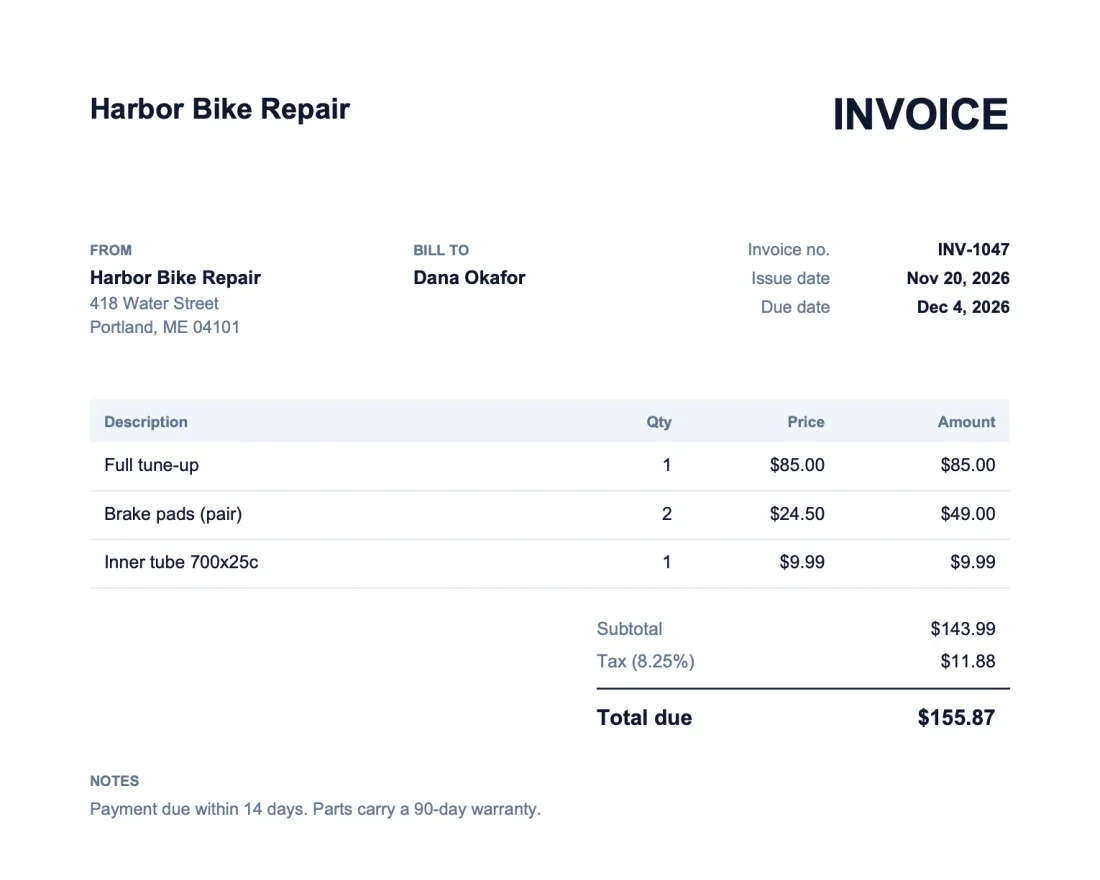
| Invoice | Receipt | |
|---|---|---|
| Title | Invoice | Receipt |
| Number | INV-1047 | R-1047 |
| Dates | Issued Nov 20, due Dec 4 | Paid Nov 27 |
| Payment | Not yet paid | Visa ending 4242 |
| Total | Total due $155.87 | Total paid $155.87 |
If you sent an invoice first, put its number in the receipt's notes, such as "Payment for INV-1047", so both of you can tie the two together. Need the invoice too? Make it with the free invoice generator, which runs on the same form.
The bike shop example, step by step
Dana Okafor paid Harbor Bike Repair by Visa for a tune-up ($85), two brake pads at $24.50 each and an inner tube ($9.99), plus 8.25% sales tax.
Each line is the quantity times the price. A discount, if you add one, comes off the subtotal first, and the tax rate applies to what's left. Every amount is rounded to the cent before the next step: 8.25% of $143.99 is $11.879175, and it prints as $11.88. The lines on the receipt add up to the total, to the cent.
Numbering and keeping copies
Give every receipt its own number, in order, with a short prefix like R- so it can't be mistaken for an invoice. The invoice number generator builds the sequence and a spreadsheet formula that keeps counting, and it works the same for receipts. Keep your own copy of each one, filed by year. The IRS asks you to keep records that support your income until the time limit for that tax return runs out, which is 3 years in most cases.
Making a receipt for every payment?
This form is fine for the odd receipt. When the payments already live in a CRM, a spreadsheet or a database, DocsAutomator makes each receipt from that record, so nobody types it twice. More than 1,200 businesses make their documents with it.
- You design the receipt once as a Google Docs or Word template, with your own layout and logo.
- Each payment record fills in a new receipt. DocsAutomator connects natively to HubSpot, Airtable, Google Sheets, Google Forms, Notion, SmartSuite, ClickUp, Glide, Softr and Noloco. Any other system connects through Zapier, Make, n8n or the API.
- Each PDF is emailed to your customer and saved back on the record.
Testing is free and needs no credit card. Test documents carry a watermark. See pricing for plans.
Prefer a template you can edit? Browse the free Google Docs invoice templates or design your own with the AI template generator. To sign a document, make a transparent PNG with the free signature generator.