

DocsAutomator vs. Docupilot
Last Update: October 7, 2026
Discover the more intuitive & powerful document automation alternative to Docupilot.
DocsAutomator makes it easy to create stunning documents from your data, no coding skills required.
Overview
DocsAutomator
An intuitive document automation tool that leverages Google Docs, Microsoft Word, and PDF templates for template creation, allowing users to design templates in a familiar environment. E-signing and one-click acceptance are included in every plan, at no extra cost.
Docupilot
A document generation platform designed to automate the creation of customized documents, offering a document builder, Office and PDF templates, and 70+ integrations. E-signatures are a paid add-on.
Start automating & signing in minutes!
Key Features
Pricing
Worth mentioning
Start automating & signing in minutes!
Unique Advantages of DocsAutomator
Familiar Template Environment
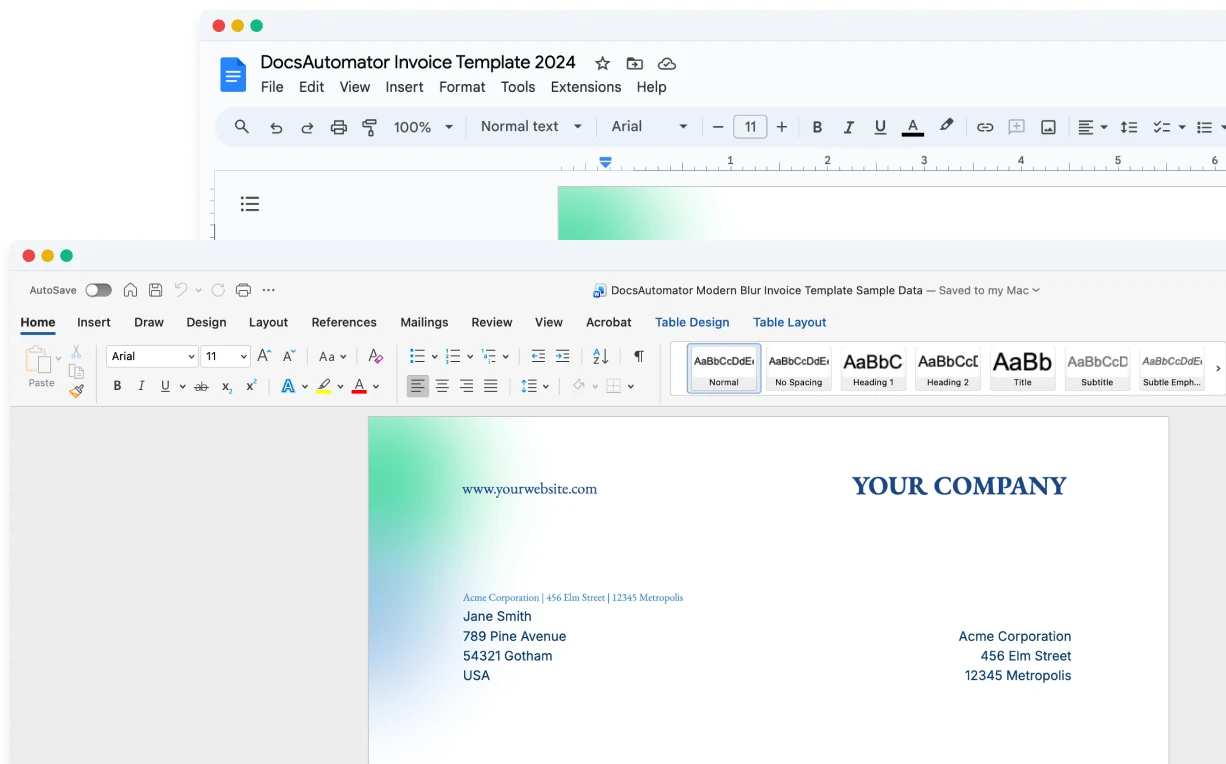
By building on top of Google Docs and Microsoft Word, DocsAutomator lets users create templates without learning a new software, leveraging the editor their team already uses, or upload a PDF to overlay data onto an existing design.
Flexible Output Management
After document generation, users can choose to save the document as a PDF or retain it as a Google Doc for further editing, providing flexibility in document workflows.
Signing Included, Lower Price per Document
E-signing and acceptance are included in every plan, at no extra cost. Docupilot charges $1.50 per envelope. For 1,000 documents a month, DocsAutomator costs $79 billed monthly and Docupilot Pro costs $149. For 5,000 documents, it is $199 against $399.
Start automating & signing in minutes!
Conclusion
Start automating & signing in minutes!
Some of the teams / institutions automating their documents with DocsAutomator:





Customer Voices
Don't take our word for it. Here's what our customers say about us:
DocsAutomator has proven to be an invaluable asset for our business, streamlining the automation of emails and documents in a seamless and efficient manner. It has significantly simplified tedious tasks, making our workflow more efficient.

Thembinkosi Malefo
It's incredible how easily we can connect it to other systems. [...] No similar software was found. It should be made mandatory. Docautomator has been our best choice so far! Always reliable! Thank you very much for making my day and work easier.

Ágota dr. Czirják-Nagy
Docsautomator is a gamechanger in No Code PDF creation with Airtable, Glide or through API (which through Zapier or Make opens it up for any application).

Nathan Noëth
Founder, House Raccoon
I've just been looking for this app for weeks. DocsAutomator simply outperforms any competitor out there. I've tried almost every possible way to generate PDF from Airtable, and none offer half of the capacities DocsAutomator does.

Foulques de Moncade
DocsAutomator is everything the Page Designer in Airtbale should have been. It is a powerful automation platform that allows me to pull complex data from Airtable and apply a design that I have full control over!
Dustin
DocsAutomator is great to generate on the fly PDF documents. We use it for several applications. it's easy to implement and great to use. I can highly recommend it.
Samuel
Start automating & signing in minutes!
Strong reasons for choosing DocsAutomator
All you need to effortlessly automate your documents.
DocsAutomator natively integrates with your favorite apps










Fast document generation
Generate documents blazingly fast - independent of length and content.
Unlimited pages
Need to dynamically produce a 200-page report? DocsAutomator allows for documents of any length.
Dynamic Sections
Easily generate documents with fully customizable sections that adapt to different use cases.
Dynamic Line Items
Handle invoices, reports, and any kind of itemized lists effortlessly with dynamic line items including nested data.


DocsAutomator eSign
Collect legally binding e-signatures on your generated documents.
AI data mapping
Map or generate sample data in seconds with the help of AI.
Preview mode
Unlimited previews until you're happy - no wasted credits on testing.
Hide & style values conditionally
Generate complex documents effortlessly by hiding or styling values conditionally.
Dynamic images
Add automatically pre-processed and converted images dynamically to your documents
Automated Emails
Send generated documents via email automatically to your recipients, from your own Gmail or Outlook account or DocsAutomator Mail.
Save PDFs to Google Drive, OneDrive or Dropbox
Store and organize your generated PDFs directly in Google Drive, Microsoft OneDrive or Dropbox.
Merge Existing PDFs
Combine multiple PDFs into one seamlessly within DocsAutomator.
Save Google Doc to continue editing
Automation meets human touch - continue editing automatically generated documents in Google Docs.
Build templates in the tools you already know

Start automating & signing in minutes!
More alternatives
Documint
Compare DocsAutomator and Documint and see what differentiates both from each other.

Typeflow
Compare DocsAutomator and Typeflow and see what differentiates both from each other.

Formstack Documents
Compare DocsAutomator and Formstack Documents and see what differentiates both from each other.

Portant
Compare DocsAutomator and Portant and see what differentiates both from each other.

CraftMyPDF
Compare DocsAutomator and CraftMyPDF and see what differentiates both from each other.

Plumsail Documents
Compare DocsAutomator and Plumsail Documents and see what differentiates both from each other.

PDFMonkey
Compare DocsAutomator and PDFMonkey and see what differentiates both from each other.

DocuGenerate
Compare DocsAutomator and DocuGenerate and see what differentiates both from each other.

Autocrat
Compare DocsAutomator and Autocrat and see what differentiates both from each other.

Form Publisher
Compare DocsAutomator and Form Publisher and see what differentiates both from each other.

DocuSign
Compare DocsAutomator and DocuSign and see what differentiates both from each other.

PandaDoc
Compare DocsAutomator and PandaDoc and see what differentiates both from each other.

Qwilr
Compare DocsAutomator and Qwilr and see what differentiates both from each other.

Proposify
Compare DocsAutomator and Proposify and see what differentiates both from each other.

Carbone
Compare DocsAutomator and Carbone and see what differentiates both from each other.

Quotient
Compare DocsAutomator and Quotient and see what differentiates both from each other.

SignWell
Compare DocsAutomator and SignWell and see what differentiates both from each other.

Better Proposals
Compare DocsAutomator and Better Proposals and see what differentiates both from each other.

Templafy
Compare DocsAutomator and Templafy and see what differentiates both from each other.

DocuQueue
Compare DocsAutomator and DocuQueue and see what differentiates both from each other.

PDF Generator API
Compare DocsAutomator and PDF Generator API and see what differentiates both from each other.

Docmosis
Compare DocsAutomator and Docmosis and see what differentiates both from each other.