E-Signatures and Acceptance
Generate documents from your data and get them e-signed
Quotes, proposals and contracts go out from your data or from an AI agent. Your client signs, or accepts with one click. The sealed PDF comes back on the record.







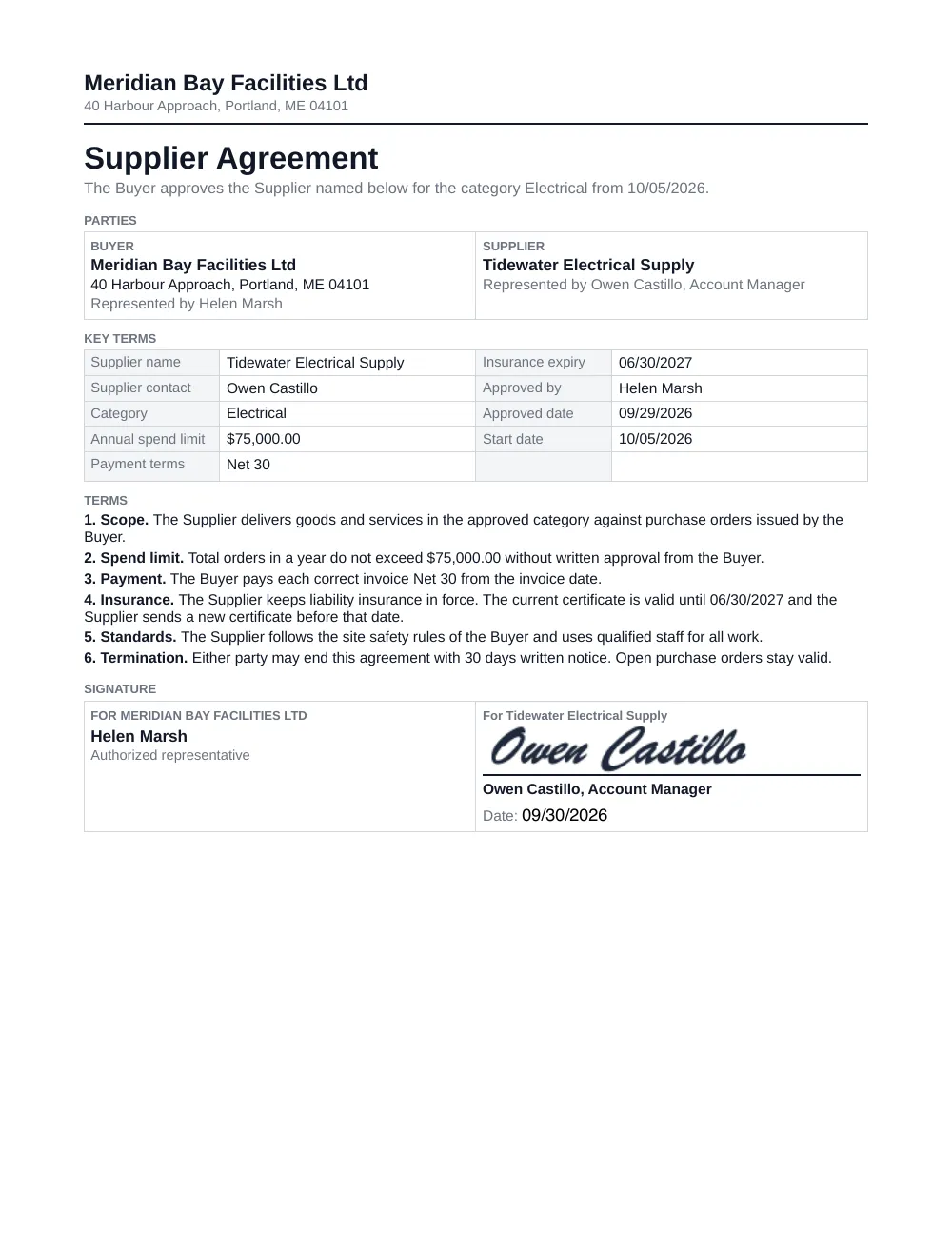 The signed document
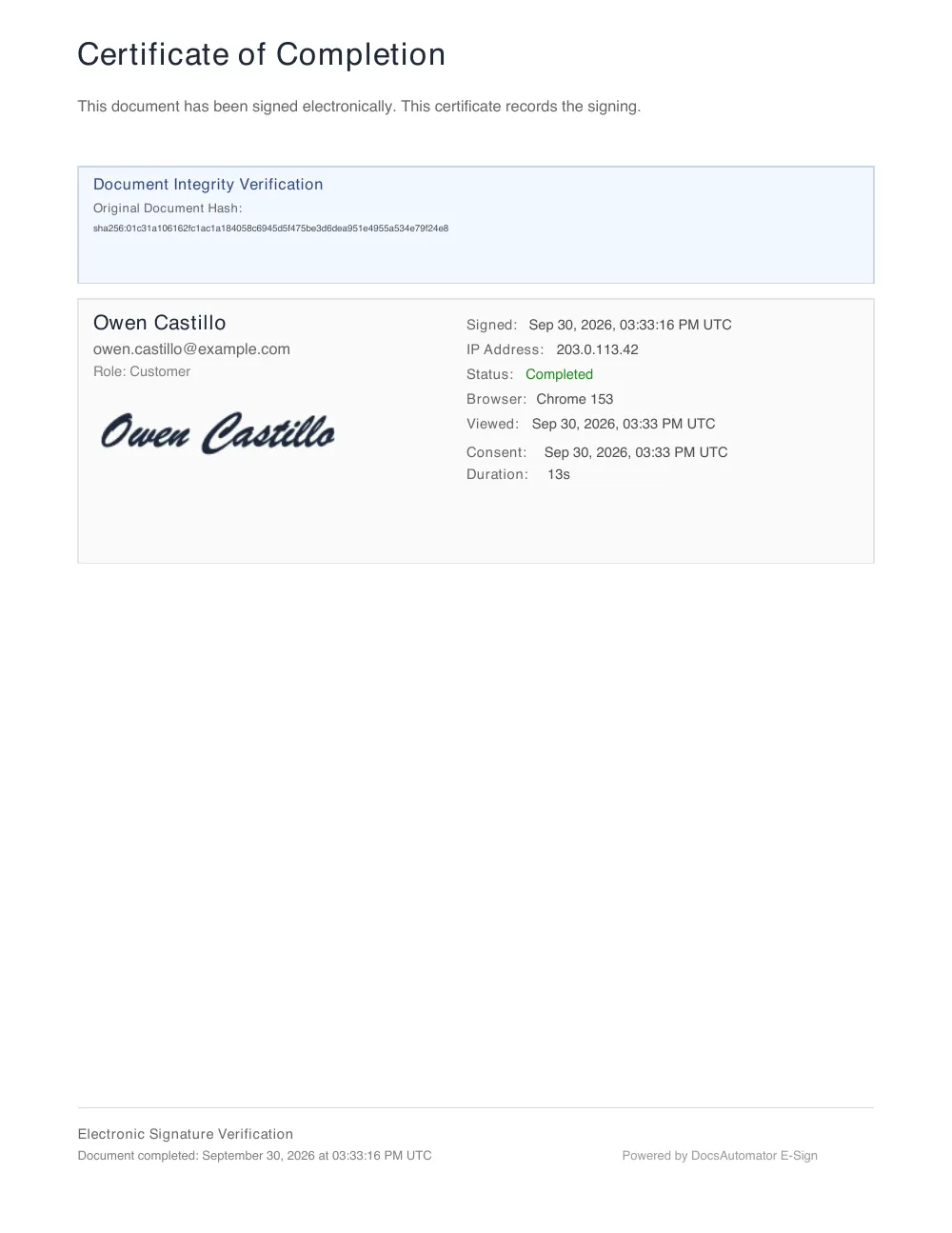 The certificate page on the same PDF
Key Benefits
Document signature automation in one tool
Created from your data
The document is filled from your record, sent and signed in one flow. There is no upload and no second tool.
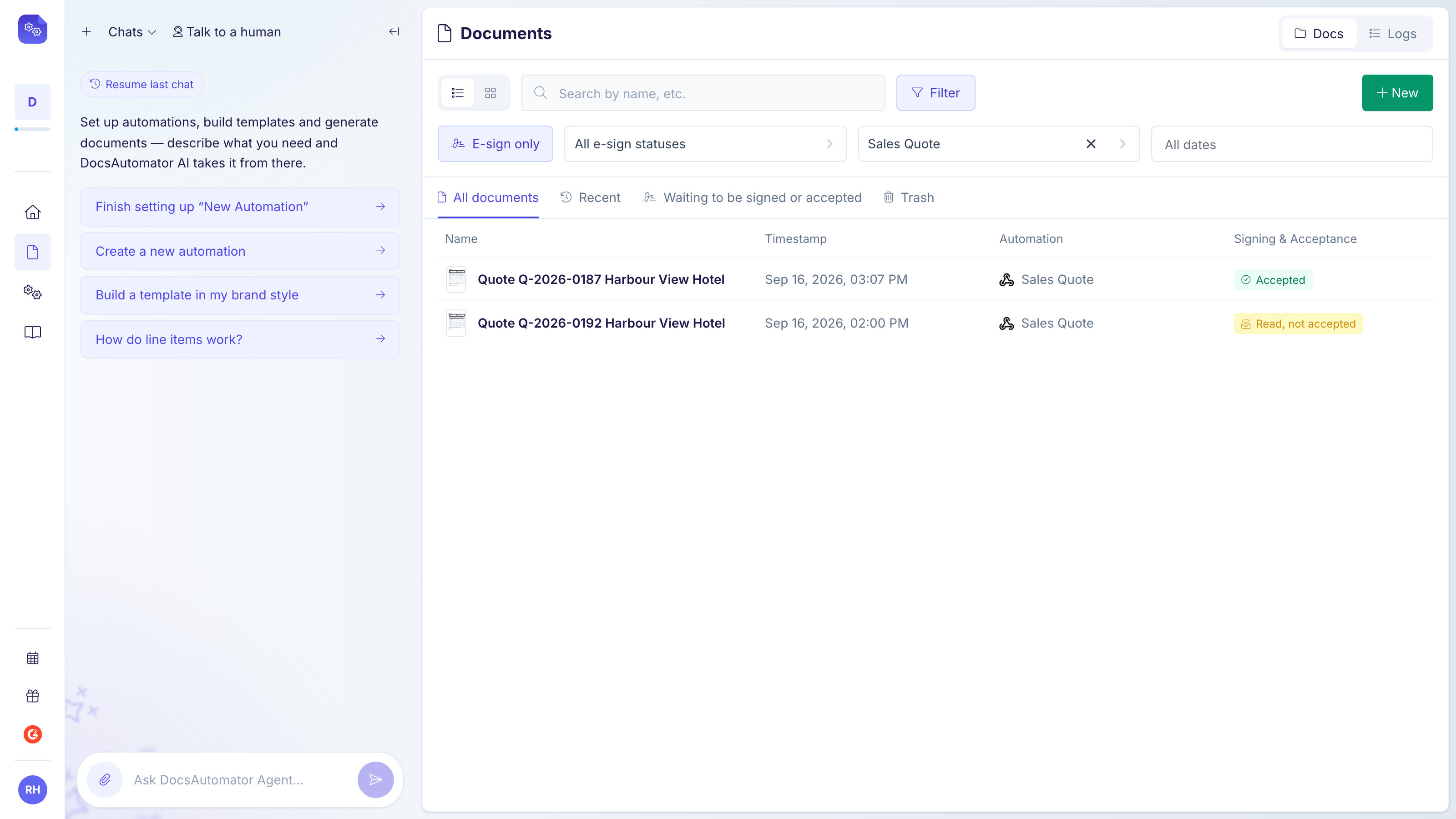
Signed or accepted
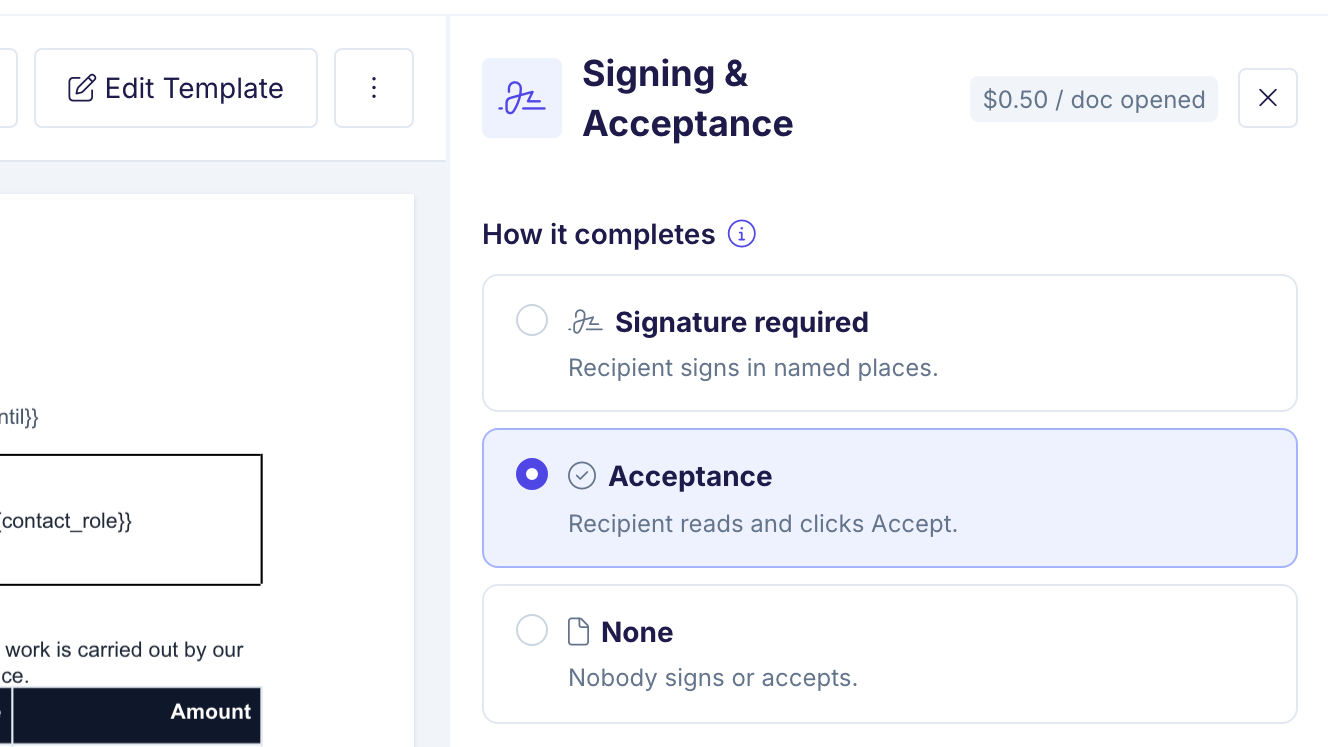
Contracts get signatures in named places. Quotes and proposals can be accepted with one click and a typed name.
The sealed PDF comes back
Every finished PDF carries a certificate and a tamper-evident seal. It goes back on the record where your source supports it.
Included in every plan
E-signing and acceptance are included in every plan. See pricing for the details.
Built-in e-signatures without per-seat pricing
DocsAutomator charges for the documents you create, not for the people who send them. Every plan includes e-signing, one-click acceptance and unlimited team members.
See plans and pricingUnlimited team members
Invite your whole team on any plan. Nobody needs a paid seat to set up an automation or send a document for signature, and signers never need an account.
One document, however many signers
A signed or accepted document counts as one document in your plan, whether one person signs it or five. There is no fee per signature.
Free to test
Test documents carry a watermark and don't count against your plan, so you can try signing as often as you like before you go live.
Start automating & signing in minutes!
How it works
Get started in minutes
Add signature tags to your template
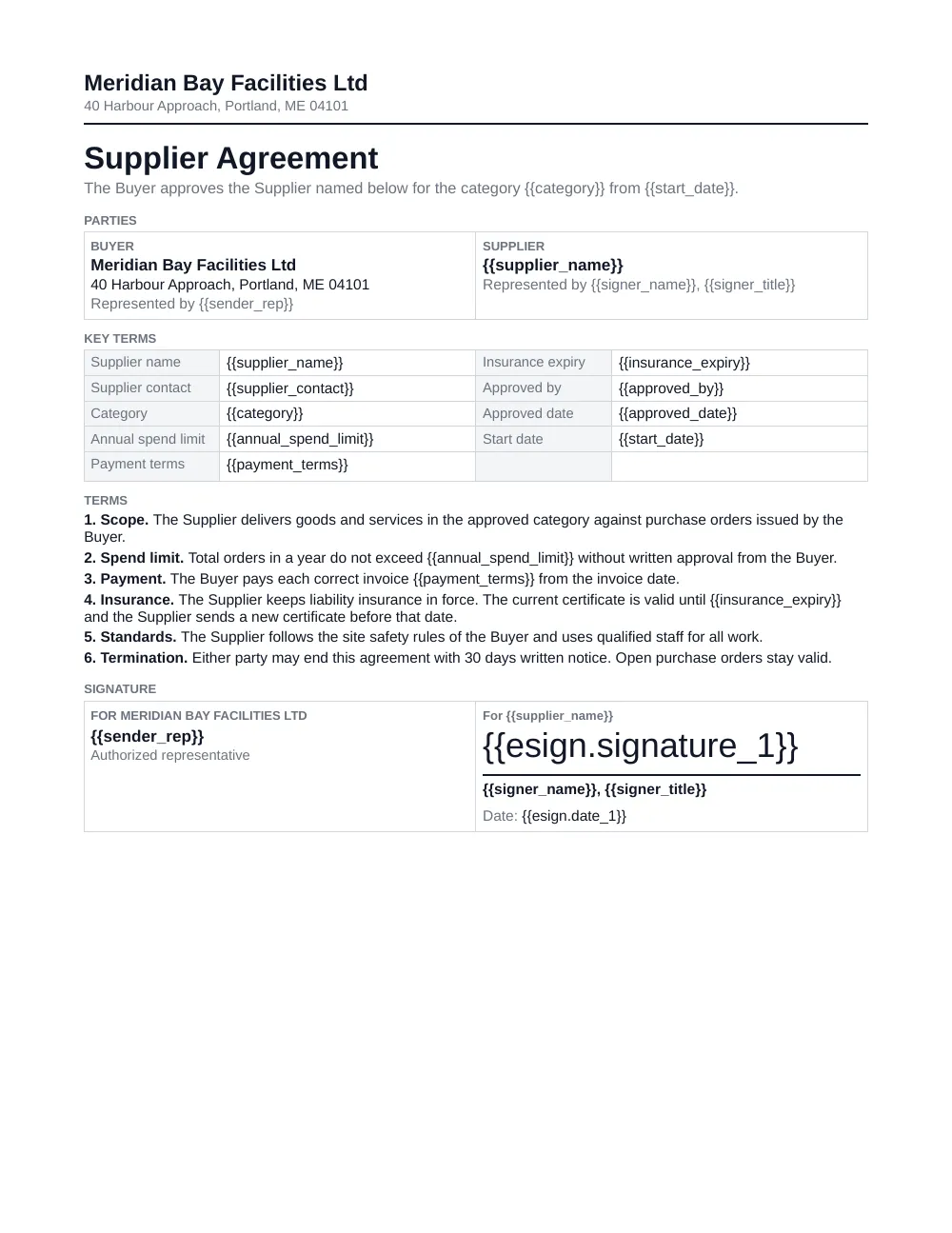
Choose signing or acceptance
Follow it and get the sealed PDF back
Learn more in our Knowledge Base
Start automating & signing in minutes!
Send from your data or from an AI agent
A record in Airtable, Google Sheets, Notion, ClickUp or SmartSuite, an app or an automation tool, or the API can send the document. So can ChatGPT, Claude or the DocsAutomator Agent.
 AirtableQuotes and contracts from a record. The sealed PDF comes back in an attachment field.E-signatures for Airtable
 Google SheetsDocuments from a row. A link to the signed PDF comes back in a column.E-signatures for Google Sheets
 NotionProposals from a database page. The signed PDF comes back in a Files property.E-signatures for Notion
 SmartSuiteAgreements from a record. The signed PDF comes back in a File field.E-signatures for SmartSuite
 ClickUpDocuments from a task. The signed PDF comes back to the task.E-signatures for ClickUp
 Glide appsWork orders signed on site. Your Glide workflow saves the signed PDF link on the job.E-signatures for Glide apps
 SoftrAgreements from a Softr portal. Your Softr workflow saves the signed PDF link on the record.E-signatures for Softr
 NolocoAgreements from a Noloco app. A Zap saves the signed PDF link on the record.E-signatures for Noloco
 ZapierA Zap sends the document. A webhook step catches the signed PDF.E-signatures for Zapier
 MakeA scenario sends the document. A webhook module receives the signed PDF.E-signatures for Make
 n8nA workflow sends the document. A webhook node receives the signed PDF.E-signatures for n8n
 APISigners named in each request. Webhook events bring back the signed PDF.E-signatures for API
 AI agentsClaude, ChatGPT or your own agent sends the document and shows who has signed.E-signatures for AI agents
Step by step setup for each source is in the knowledge base. See the tutorials for each source.
One-click acceptance for quotes, without a full e-signature
Not every document needs a signature. For a quote, a proposal or a purchase order, a clear yes on record is enough.
See how acceptance works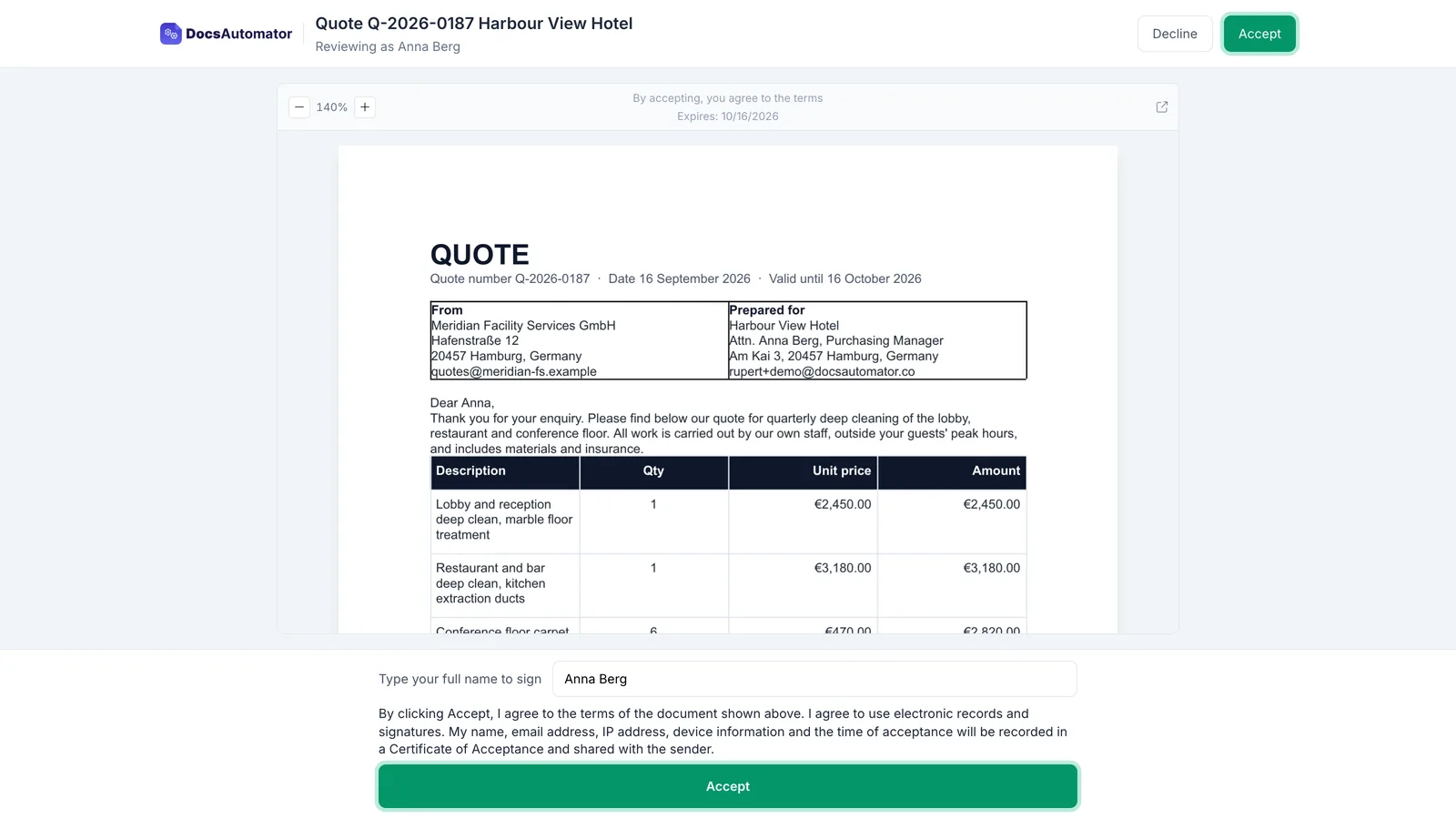
Read and accept
The recipient opens the document from the email, reads it and clicks Accept. There are no fields to fill and nothing to draw.
A typed name
You can ask the recipient to type their name before they accept. They can also decline and give a reason.
A Certificate of Acceptance
The accepted PDF gets a Certificate of Acceptance on its last page. It records the time, the email address, the device and the exact document they saw.
Back where it belongs
The accepted PDF goes back on the record, to your webhook or to both sides by email, the same way as a signed one.
Start automating & signing in minutes!
Customer Voices
Don't take our word for it. Here's what our customers say about us:
DocsAutomator has helped our company tremendously with invoice issuing automation. We use Airtable and built-in extensions there have many limitations that prevented us from creating beautiful informative invoices.

Viktor Ivanov
CEO, ViktorLaw
DocsAutomator is a great service & I've been using it for around 6-months now. Automating document creation is quick, simple & highly effective, for both myself & for my clients.

Vivek Kuvelker
DocsAutomator is great to generate on the fly PDF documents. We use it for several applications. it's easy to implement and great to use. I can highly recommend it.

Samuel
DocAutomator has helped my business automate invoices, contacts, and quarterly reports for our clients. This product saves us a lot of time, allowing us as a property management company to focus more on asset management.
Eran
Docsautomator give us the perfect solution for our needs. and the most important - they have GREAT support.
Isaac Eran
DocsAutomator have helped me creating super complex documents which I had no clue how to create these with other tools as Zapier or Make.com. I have never been helped so quickly. I'm currently recommending this tool to all of my friends.

Stefan
Moving from another signing tool?
Whether you use DocuSign, PandaDoc or another tool: with our done-for-you setup, we move your templates, signers and flows over for you. It costs $499 once with a yearly plan, and the yearly Scale plan includes it.
Book a call with our founderFrequently Asked Questions
Start automating & signing in minutes!
Explore more features
Everything you need for document automation
AI Template Generator
Describe a document and let AI create a professionally designed Word (.docx) template for you.
Google Docs Templates
Build templates in Google Docs, one of the most intuitive document tools on the web.
Word Templates
Upload a Microsoft Word .docx template and generate Word or PDF documents from your data.
Email Automation
Generate documents and email them as PDF attachments automatically.
Dynamic Line Items
Handle invoices, reports, and itemized lists with dynamic line items including nested data.
Conditional Logic
Show, hide, or style content conditionally based on your data.
AI Field Mapping
Map or generate sample data in seconds with the help of AI.
PDF Generation & Delivery
Generate PDFs, save to Google Drive, OneDrive or Dropbox, send via email, or trigger webhooks.
Batch Processing
Generate dozens of documents in parallel with queue-based batch processing.
REST API
Generate documents programmatically with sync/async modes and webhooks.
AI & Agents
Give AI assistants the power to generate documents via MCP server.
Teams collecting e-signatures with DocsAutomator:







Ready to send your first document for signature?
Join 1,200+ businesses saving hours on document creation
Unlimited testing, no credit card required