 Official plugin in ChatGPT Plugins
Your documents, handled in a ChatGPT chat
ChatGPT takes the request, and DocsAutomator turns it into a real business document: your template, formatted correctly, signed or accepted, and filed back to your records.
On the web, on desktop and on mobile. No developer mode needed.
Why ChatGPT works with DocsAutomator
What ChatGPT gets from DocsAutomator, in three short lines.
- 1
Your template, formatted correctly
Your approved template, filled with exact values and printed in your country's format.
Quote for Jonas from my templateYour template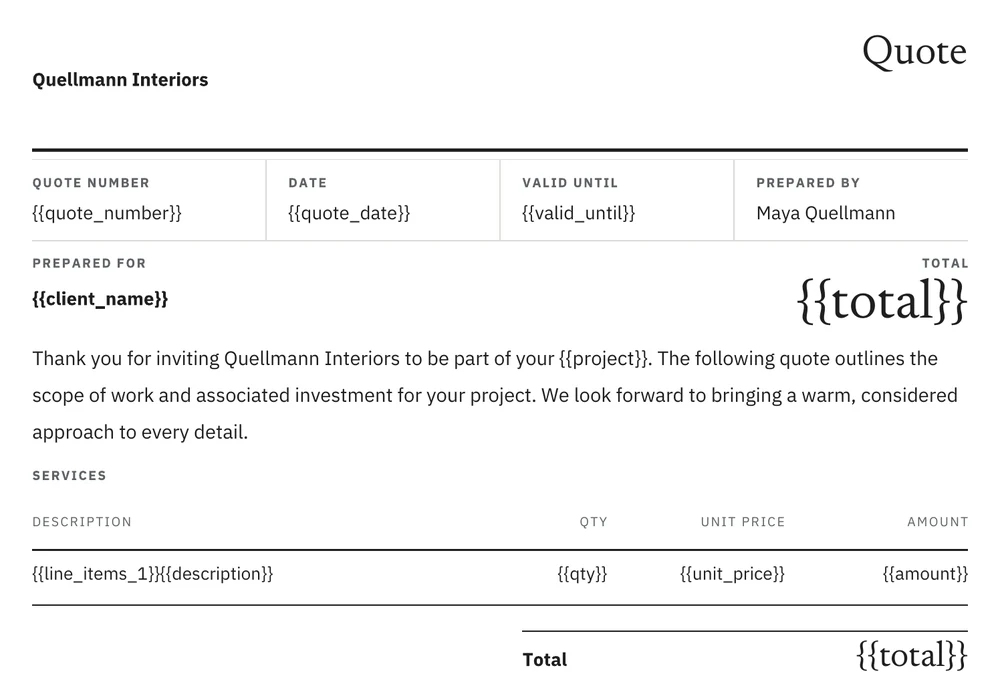 Filled by DocsAutomator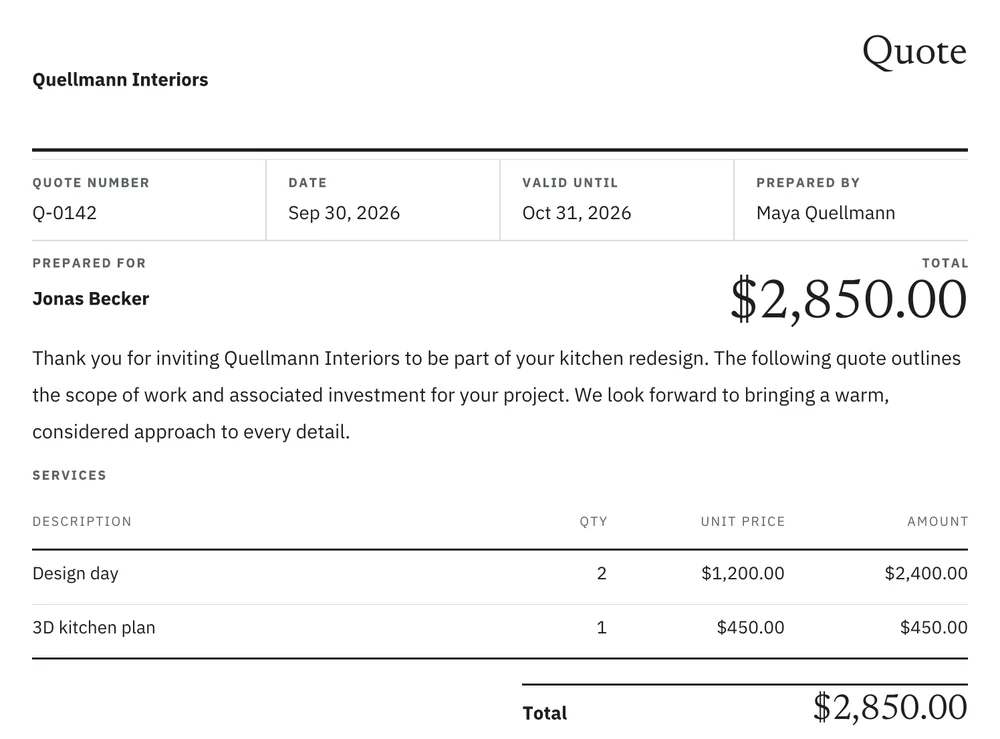
- 2
Signed or accepted
Legally binding e-signatures or one-click acceptance, with the reminders sent for you.
Jonas accepted. Send him the contract.
Signed by Jonas Becker on Oct 21, 2026 at 9:19 PM UTC. The certificate records the consent, the time and the document hash (SHA-256 bd4d5986…). - 3
Filed wherever you work
The signed PDF goes back to your records, or anywhere else through ChatGPT, Zapier, Make, n8n or a webhook. A new record can also create the document on its own.
File it in Jonas's project folder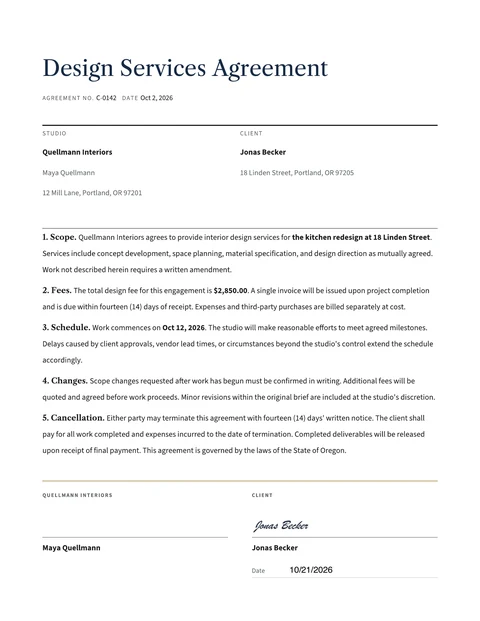
 Projects / Jonas BeckerContract C-0142 Jonas Becker signed.pdf
The cards ChatGPT shows you
Every document and every signing request appears in the chat and under Documents in the DocsAutomator app, and the signed PDF is filed where you chose.
AcceptedGoogle Drive · Projects / Jonas BeckerInstall the plugin in ChatGPT
Install, connect, sign in. Then every chat can use it.
- 1
Open DocsAutomator in ChatGPT Plugins. You can also open Plugins in the ChatGPT sidebar and search for DocsAutomator.
- 2
Click "Install plugin".
- 3
Click "Connect" when ChatGPT asks.
- 4
Sign in to DocsAutomator, choose your workspace if you have more than one, and allow access.
Enterprise or Edu: an admin may have to enable DocsAutomator for the workspace first. If ChatGPT shows "Disabled by admin", ask your admin.
Added it by hand before? If you added DocsAutomator to ChatGPT as a custom MCP server, remove that entry, so that ChatGPT uses the plugin.
What the plugin can reach
You decide the workspace and every send.
Your own sign-in
The plugin connects through a DocsAutomator sign-in (OAuth). You enter no server URL and no API key in ChatGPT.
Bound to the workspace you pick
The sign-in screen lets you choose a workspace when you have several. Only its automations are reachable. Disconnect and reconnect to choose another.
Nothing goes out unconfirmed
DocsAutomator asks you before a document, a reminder or a cancellation goes out. A new automation sends its first document in test mode.
Records stay where they are
The plugin cannot search your Airtable or Notion data. ChatGPT gets the record ID from you, and DocsAutomator reads that one record.
Copy a prompt for the document you send most
Ordered from the template you already have to a brand new one. The tag shows which pillar the prompt puts to work.
@DocsAutomator use the Google Doc I paste below as the template for my design contract, and send it to Jonas Becker at jonas@becker.example for signature in test mode.
ChatGPT uses your Google Doc as it is, without editing it, and sets up signing. After you confirm, Jonas gets the request in test mode, with a watermark and free of charge.
@DocsAutomator make a quote from the template gallery for Jonas Becker: 2 design days at $1,200 each and a 3D plan at $450. Show prices in US dollars with two decimals and send it to jonas@becker.example for acceptance in test mode.
ChatGPT picks a gallery quote template and sets the number format, so the quote shows $2,850.00. After you confirm, Jonas gets it for acceptance in test mode.
@DocsAutomator design an invoice template in the style of my studio's website, connect my projects sheet and create an invoice for each new row.
With your website address, ChatGPT designs a Word template in your brand, maps the sheet columns and switches on the Google Sheets trigger. New rows then become invoices without a chat.
ChatGPT plugin: frequently asked questions
Working in Cursor, VS Code or another MCP client? See the MCP server setup
Send your next contract from ChatGPT
Install the plugin, name the record and the signer, and watch the status in the chat.