

DocsAutomator vs. CraftMyPDF
Last Update: October 7, 2026
Discover the more intuitive document automation alternative to CraftMyPDF.
DocsAutomator makes it easy to create stunning documents from your data, no coding skills required.
Overview
DocsAutomator
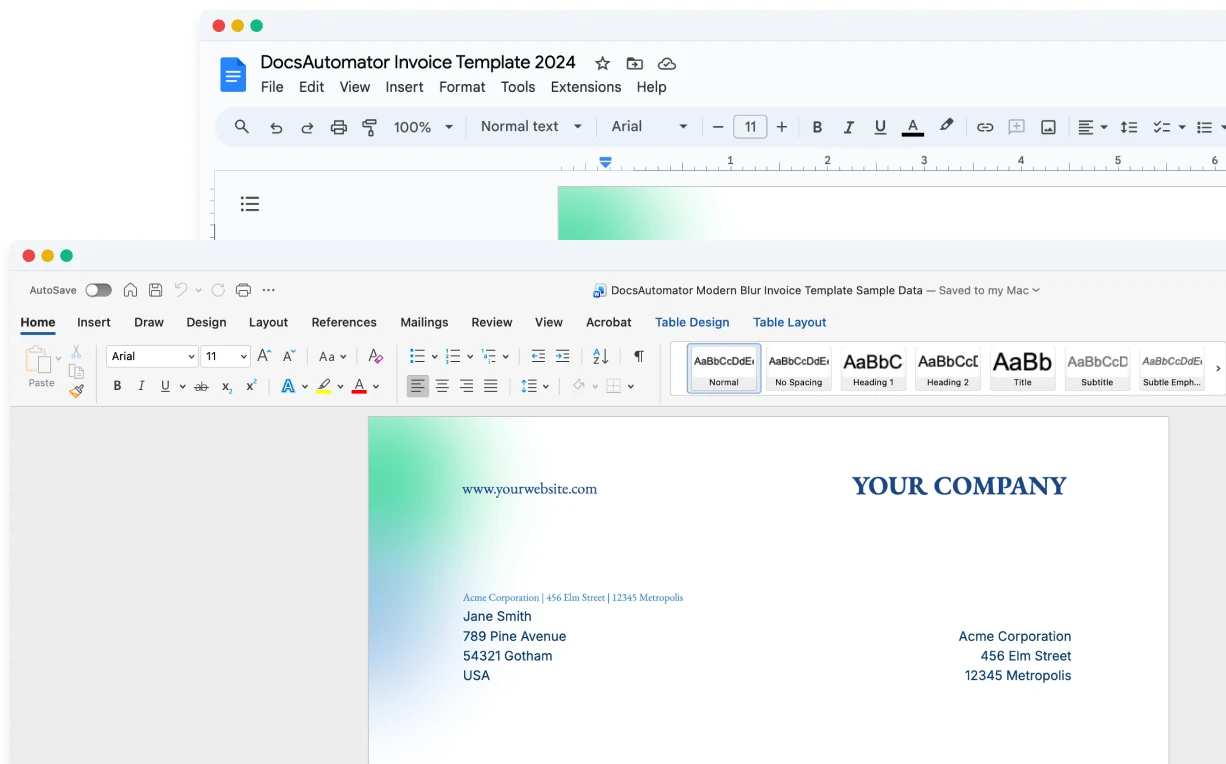
An intuitive document automation tool that leverages Google Docs, Microsoft Word, and PDF templates for template creation, allowing users to design templates in a familiar environment. E-signing and one-click acceptance are included in every plan, at no extra cost.
CraftMyPDF
A cloud-based PDF and image generation service with a drag-and-drop template editor, a REST API for document generation from JSON data, and an e-signature API.
Start automating & signing in minutes!
Key Features
Pricing
Worth mentioning
Start automating & signing in minutes!
Unique Advantages of DocsAutomator
No-Code Template Creation
DocsAutomator uses Google Docs, Microsoft Word, and PDF templates, tools everyone already knows. CraftMyPDF requires learning a proprietary drag-and-drop editor, which creates a steeper learning curve for non-technical users.
Native Data Source Integrations
DocsAutomator connects directly to Airtable, Google Sheets, Google Forms, Notion, SmartSuite, ClickUp and more, and writes the result back to the record. CraftMyPDF is built around its REST API, with Zapier, Make.com and Bubble.io connectors.
Signing and Acceptance Included
DocsAutomator includes legally binding e-signatures and one-click acceptance in every plan, at no extra cost. A signed document counts as one document, and the sealed PDF goes back to the record. CraftMyPDF uses 10 credits from the monthly allowance for each signature request.
Start automating & signing in minutes!
Conclusion
Start automating & signing in minutes!
Some of the teams / institutions automating their documents with DocsAutomator:





Customer Voices
Don't take our word for it. Here's what our customers say about us:
Great effort and promising product.

Yasin Hassanien
I find this tool really great! Very rich, and so easy to use! the parameters are numerous and very well detailed. Preview mode allows you to immediately see our changes. [...] Not to mention the very fast and top-notch support!

Fred de Artistepro
Very flexible and easy to use doc creation tool. Improvements and new features are getting added on a regular basis. The support is top notch 👍🏼 Thanks Rupert for making my life easier 🤩
Stefan
DocsAutomator is great to generate on the fly PDF documents. We use it for several applications. it's easy to implement and great to use. I can highly recommend it.
Samuel
I have been using DocAutomator for about 2 weeks now and it is fantastic! Very easy to set up the configuration between Google Docs, Airtable, and DocAutomator.
Jason Wilson
DocsAutomator integrates very nicely with Airtable, letting my team create highly customized itineraries that handle dozens of variables. We've used the software for several years now and have no reason to shop around for other solutions.
Heather Wilson
Start automating & signing in minutes!
Strong reasons for choosing DocsAutomator
All you need to effortlessly automate your documents.
DocsAutomator natively integrates with your favorite apps










Fast document generation
Generate documents blazingly fast - independent of length and content.
Unlimited pages
Need to dynamically produce a 200-page report? DocsAutomator allows for documents of any length.
Dynamic Sections
Easily generate documents with fully customizable sections that adapt to different use cases.
Dynamic Line Items
Handle invoices, reports, and any kind of itemized lists effortlessly with dynamic line items including nested data.

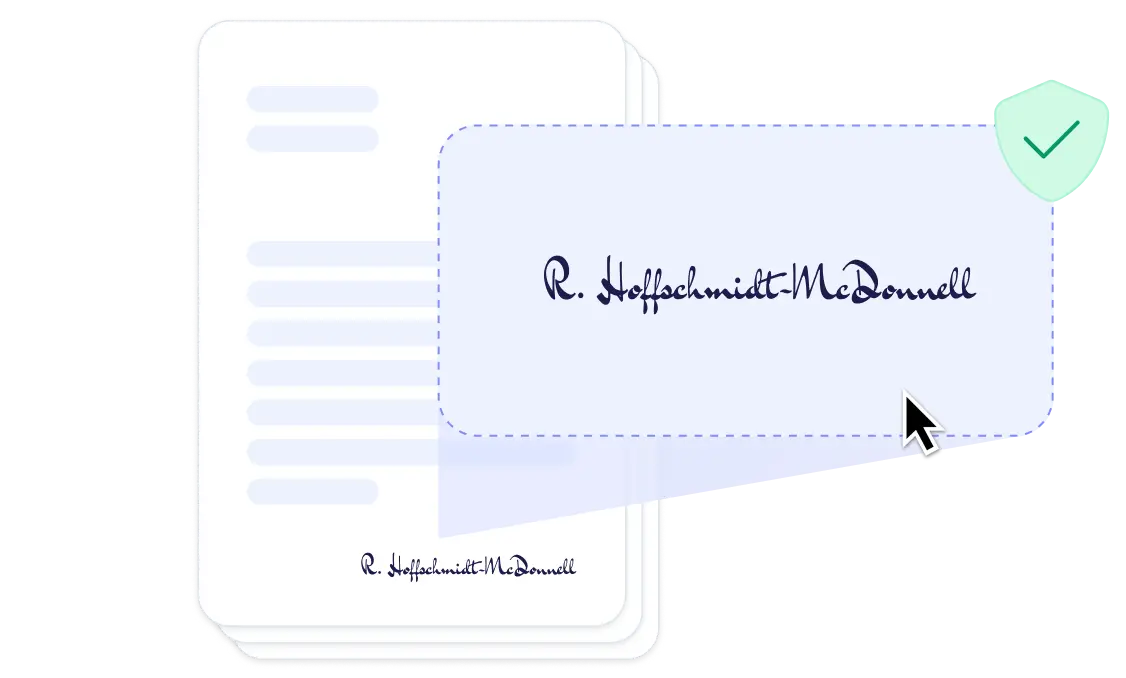
DocsAutomator eSign
Collect legally binding e-signatures on your generated documents.
AI data mapping
Map or generate sample data in seconds with the help of AI.
Preview mode
Unlimited previews until you're happy - no wasted credits on testing.
Hide & style values conditionally
Generate complex documents effortlessly by hiding or styling values conditionally.
Dynamic images
Add automatically pre-processed and converted images dynamically to your documents
Automated Emails
Send generated documents via email automatically to your recipients, from your own Gmail or Outlook account or DocsAutomator Mail.
Save PDFs to Google Drive, OneDrive or Dropbox
Store and organize your generated PDFs directly in Google Drive, Microsoft OneDrive or Dropbox.
Merge Existing PDFs
Combine multiple PDFs into one seamlessly within DocsAutomator.
Save Google Doc to continue editing
Automation meets human touch - continue editing automatically generated documents in Google Docs.
Build templates in the tools you already know

Start automating & signing in minutes!
More alternatives
Documint
Compare DocsAutomator and Documint and see what differentiates both from each other.

Docupilot
Compare DocsAutomator and Docupilot and see what differentiates both from each other.

Typeflow
Compare DocsAutomator and Typeflow and see what differentiates both from each other.

Formstack Documents
Compare DocsAutomator and Formstack Documents and see what differentiates both from each other.

Portant
Compare DocsAutomator and Portant and see what differentiates both from each other.

Plumsail Documents
Compare DocsAutomator and Plumsail Documents and see what differentiates both from each other.

PDFMonkey
Compare DocsAutomator and PDFMonkey and see what differentiates both from each other.

DocuGenerate
Compare DocsAutomator and DocuGenerate and see what differentiates both from each other.

Autocrat
Compare DocsAutomator and Autocrat and see what differentiates both from each other.

Form Publisher
Compare DocsAutomator and Form Publisher and see what differentiates both from each other.

DocuSign
Compare DocsAutomator and DocuSign and see what differentiates both from each other.

PandaDoc
Compare DocsAutomator and PandaDoc and see what differentiates both from each other.

Qwilr
Compare DocsAutomator and Qwilr and see what differentiates both from each other.

Proposify
Compare DocsAutomator and Proposify and see what differentiates both from each other.
Carbone
Compare DocsAutomator and Carbone and see what differentiates both from each other.

Quotient
Compare DocsAutomator and Quotient and see what differentiates both from each other.

SignWell
Compare DocsAutomator and SignWell and see what differentiates both from each other.

Better Proposals
Compare DocsAutomator and Better Proposals and see what differentiates both from each other.

Templafy
Compare DocsAutomator and Templafy and see what differentiates both from each other.

DocuQueue
Compare DocsAutomator and DocuQueue and see what differentiates both from each other.

PDF Generator API
Compare DocsAutomator and PDF Generator API and see what differentiates both from each other.
Docmosis
Compare DocsAutomator and Docmosis and see what differentiates both from each other.