

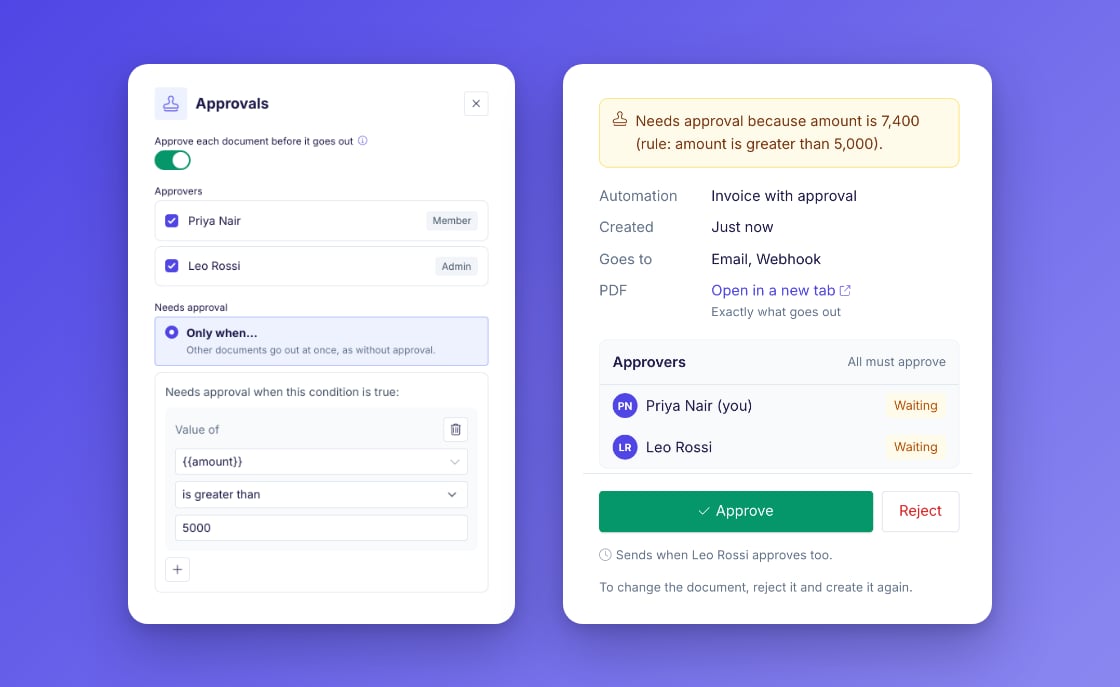
Approvals
Download a batch as one PDF
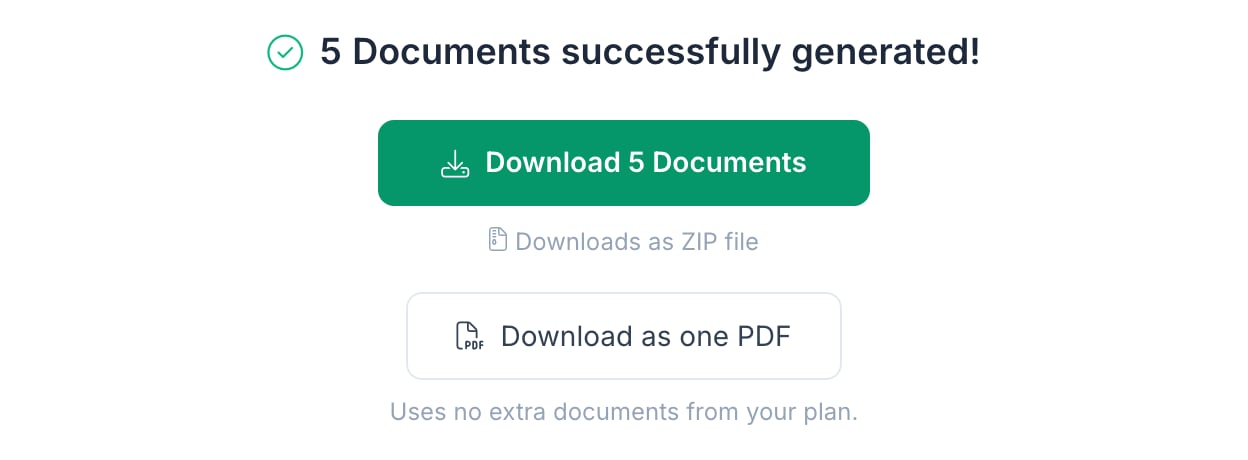
- Plan usage: each record counts as one document in your plan, as before. The download adds no documents.
- Before the run: the generate step now shows how many documents the run uses, for example “Generates 23 documents (uses 23 of your plan).” In test mode, it says that test documents are free.
- Signed documents: a document whose signing is complete goes into the PDF as its signed version.
- Failed documents: they are left out of the PDF, and the result names them.
- Limit: one PDF holds up to 100 documents per download. For a larger run, use the ZIP download.
Fixes
- Notion signing: the signer pickers in the Signing & Acceptance panel now show property names. Before, they could show raw property ids for databases with several data sources.
- Notion signing: when a signer’s name comes from a relation property, the signer is now named with the title of the related page. Before, the invitation could greet the signer with a page id. See Signing & Acceptance.
Documents is the home page
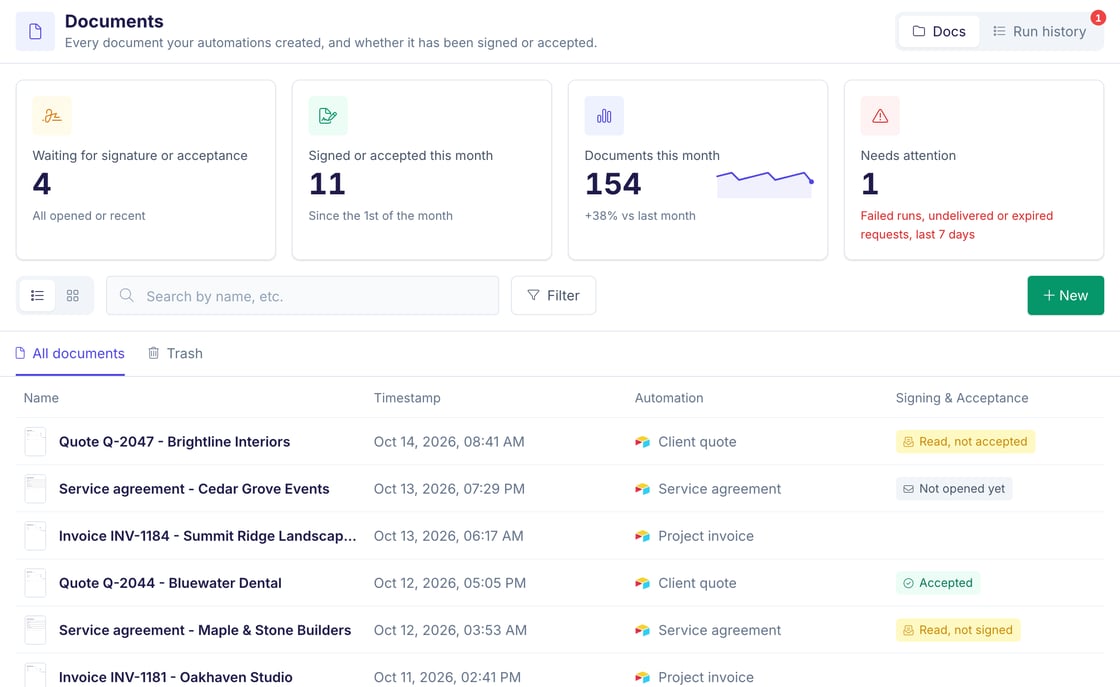
/documents and /runhistory open the home page.- Needs attention counts failed runs, expired signing requests and invitations that were not delivered in the last 7 days.
- New document lets you pick an automation and opens it with its generate dialog.
AI Agent button in the sidebar
The floating agent button is gone. An AI Agent button now sits under the workspace box in the sidebar. It opens and closes the agent panel. On phones, the button is in the menu.Connect from your own AI agent
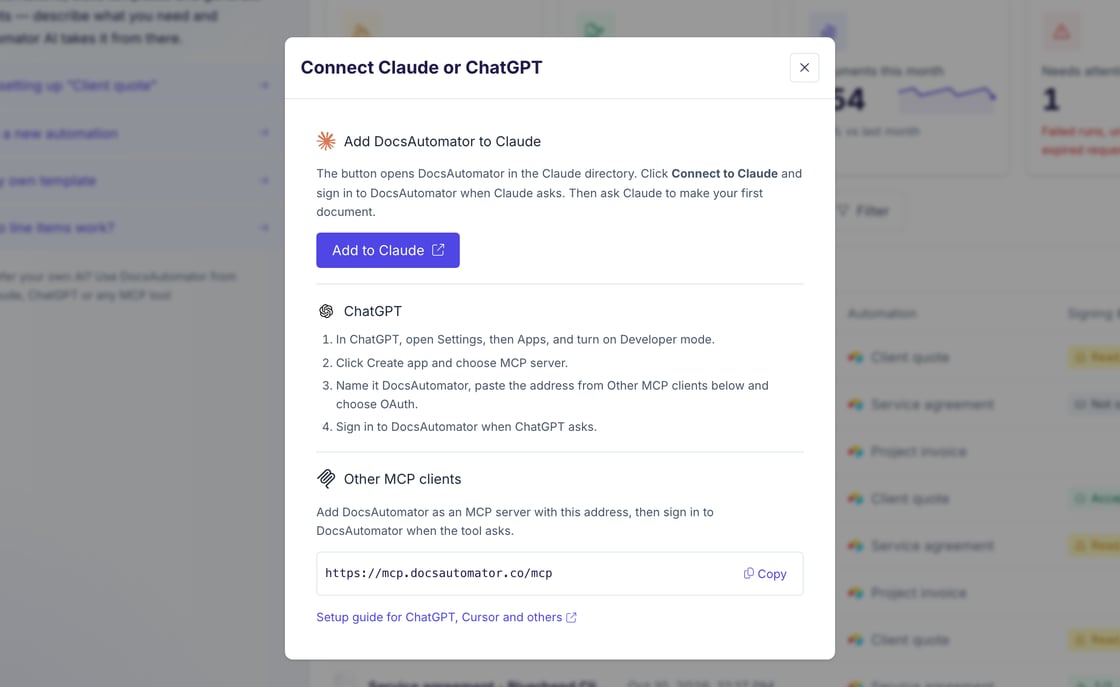
- In the agent panel: a new, empty chat shows the line “Prefer your own AI? Use DocsAutomator from Claude, ChatGPT or any MCP tool”. A click opens the connect steps.
- In the Setup Guide: every automation’s Setup Guide has a From your AI agent card. It shows the connect steps and the automation’s id.
- Connect steps: Claude connects through the Claude directory, ChatGPT has four setup steps, and other MCP tools get the server address with a copy button.
Fixes
- The watermark on test documents now sits on top of the page. Before, it shrank the page content, and designs that run to the page edge got a white border.
- Edit Sample Data: your sample data is saved when you click Save and Close, also after Clear All. Before, a cleared set was not saved, and the old values came back.
On the website
- Done-for-you setup: a new setup service page describes our paid setup service. You book a free call in the page, and we set up your documents from your template and your data. The header, the homepage, the pricing page and the template pages link to it. Trial workspaces see the offer in the founder welcome, and the AI Agent can offer it once when you ask for help with the setup.
- Free invoice generator: the invoice generator makes a PDF invoice in your browser, with your logo, line items, discount and tax. It is free, and nothing you type goes to our servers.
- Free German e-invoice tool: the E-Rechnung tool creates a ZUGFeRD PDF or an XRechnung file in your browser, without an account. ZUGFeRD and XRechnung are the German e-invoice formats.
E-invoices: ZUGFeRD and XRechnung
Invoice automations can now create a valid e-invoice next to the PDF. Switch on the E-invoice (ZUGFeRD / XRechnung) add-on under Settings, Add-ons, enter your seller details once, and turn on the e-invoice in an automation’s E-invoice section.- Two formats: ZUGFeRD, a PDF/A-3 file with the e-invoice data inside, or XRechnung, an XML file next to your PDF.
- Checked before delivery: every e-invoice passes the official validators before it is sent. If a field is missing or a total does not match the lines, the run stops with a message that names the field.
- Every data source: Airtable, Google Sheets, Notion, SmartSuite, ClickUp, Google Forms, the API, Glide, Noloco, Softr, Make, n8n, Zapier and MCP clients. The XML file goes to a field of your record where the source has one, and to Google Drive, email and the API response.
- Test documents show every problem next to the preview and stay free.
DocsAutomator in the Claude directory
DocsAutomator is now an official connector in the Claude directory. Open DocsAutomator in the Claude directory, click Connect to Claude and sign in to DocsAutomator. The connector works in claude.ai, the Claude desktop and mobile apps, and Claude Code when you sign in with the same Claude account. You no longer copy a server URL into Claude.- In the app: the data source picker has a Claude tile next to the DocsAutomator API and MCP. Its Add to Claude button opens the listing, and the tile shows Connected once Claude is signed in to your workspace.
- New accounts: when you choose Claude on the DocsAutomator homepage and sign up, the agent chat shows the same button and a first prompt to copy into Claude. Skip for now goes straight to your first document.
AI Agent: your own template first
When an automation needs a template, the AI Agent now asks for your own template first: a Word file, a PDF or a Google Doc. If you have none, it shows matching templates from the gallery. It designs a new template with AI only when you choose None of these fit or ask for it. The agent edits Word templates only and never changes a Google Doc template.Word editor works like Google Docs
The Word template editor has a new toolbar and a new right-click menu.- Toolbar: line and paragraph spacing, paint format, formatting marks, one Table button for every table edit, a page menu with page breaks and page numbers, and a tooltip with the name and shortcut on every button. Buttons that do not fit move into a More menu.
- Right-click menu: cut, copy, paste, paste without formatting, links and Insert dynamic field…. In a table, it adds rows, columns and table edits.
- Faster: the editor opens in under a second and at its final size, without a jump.
- Saves on a pause: the editor saves about 2 seconds after you stop typing. When a save fails, the header says “Not saved, retrying”.
- Your file stays yours: a save changes only the parts of the file that you edited and keeps the rest of your Word file as it was.
- Outside changes: when the template changes outside the editor while it is open, for example through an upload or the AI Agent, the editor says “This template changed outside the editor. Your last changes were not saved.” and offers Reopen.
MCP server: test mode for a first document
- When an AI client creates the first document of a new automation and gives no mode, the document runs in test mode. Test documents are free and have a watermark. The result tells the client to send again with mode “live” for a real document.
- AI clients that support it now show the DocsAutomator name, logo and website next to the server.
Fixes
- Links in a document now work on the signing and acceptance pages. External links open in a new tab.
- A preview of an acceptance automation whose recipient is given with each request no longer fails with “Recipient 1 has no email”.
- A warning in a Google Docs repeating section, for example a table inside a table, no longer fails the run.
- Google Docs runs that hit a Google server error because of a placeholder in a cell hidden under merged cells now try again without that cell and finish, with a warning.
- When a Word template file is missing, the preview, the editor and the download now say “The template file was not found. Upload the template again.”
- The AI Agent now sees every SmartSuite workspace, also when one account is very large.
Send a different PDF with an API request
Automations with a PDF template can now place their saved fields on a different PDF for a single request. PasspdfTemplateLink with an https link to the PDF, or pdfTemplateBase64 with the file itself. For example, a check printed from your accounting software gets the same fields in the same positions every time. The data, mapping, signing and output settings still come from the automation you call. The PDF must have every page that holds a saved field, can be up to 25 MB and is not stored as a template. See Create document from API.Send a different Word template with an API request
Automations with a Word template can now use a different Word file for a single request, the same waydocTemplateLink works for Google Doc templates. Pass wordTemplateLink with an https link to the .docx file, or wordTemplateBase64 with the file itself. The document uses that file, and the data, mapping, signing and output settings still come from the automation you call. The file can be up to 25 MB and is not stored as a template. See Create document from API.On the website
The homepage now starts with your own template. Upload a Word file or a PDF, or pick a Google Doc, and sign up. The AI Agent then opens on that template. Connect your tools starts from your data source instead.Filter signing sessions by record
The signing sessions list in the API now takesrecordId, with up to 100 record ids, and automationId. Each signer in the list shows when they opened, signed or declined. See Signing API reference.Fixes
- Notion rollups that show text, titles or people keep their values again. Since September 1, they could come out empty.
Signing and acceptance included in every plan
E-signing and acceptance are now included in every plan, legacy plans too. The charge per document for signing and acceptance has ended, and the e-sign add-on is retired, with its usage charges. A quote or a contract is not finished until the other side says yes, so signing belongs to creating the document, not to an extra bill.- A signed or accepted document counts as one document in your plan allowance, the same as any other document, however many recipients it has.
- Signing and acceptance used in the current billing period are not charged, including requests sent earlier that are opened later.
- If you had the e-sign add-on, it ends without any action on your side, and signing works as before.
- Test documents still do not count against your plan.
- The plan cards, the billing settings, the check before a manual run and the AI Agent now say that signing and acceptance are included.
Save documents to Dropbox
Dropbox is a new place to save your documents, next to Google Drive and OneDrive.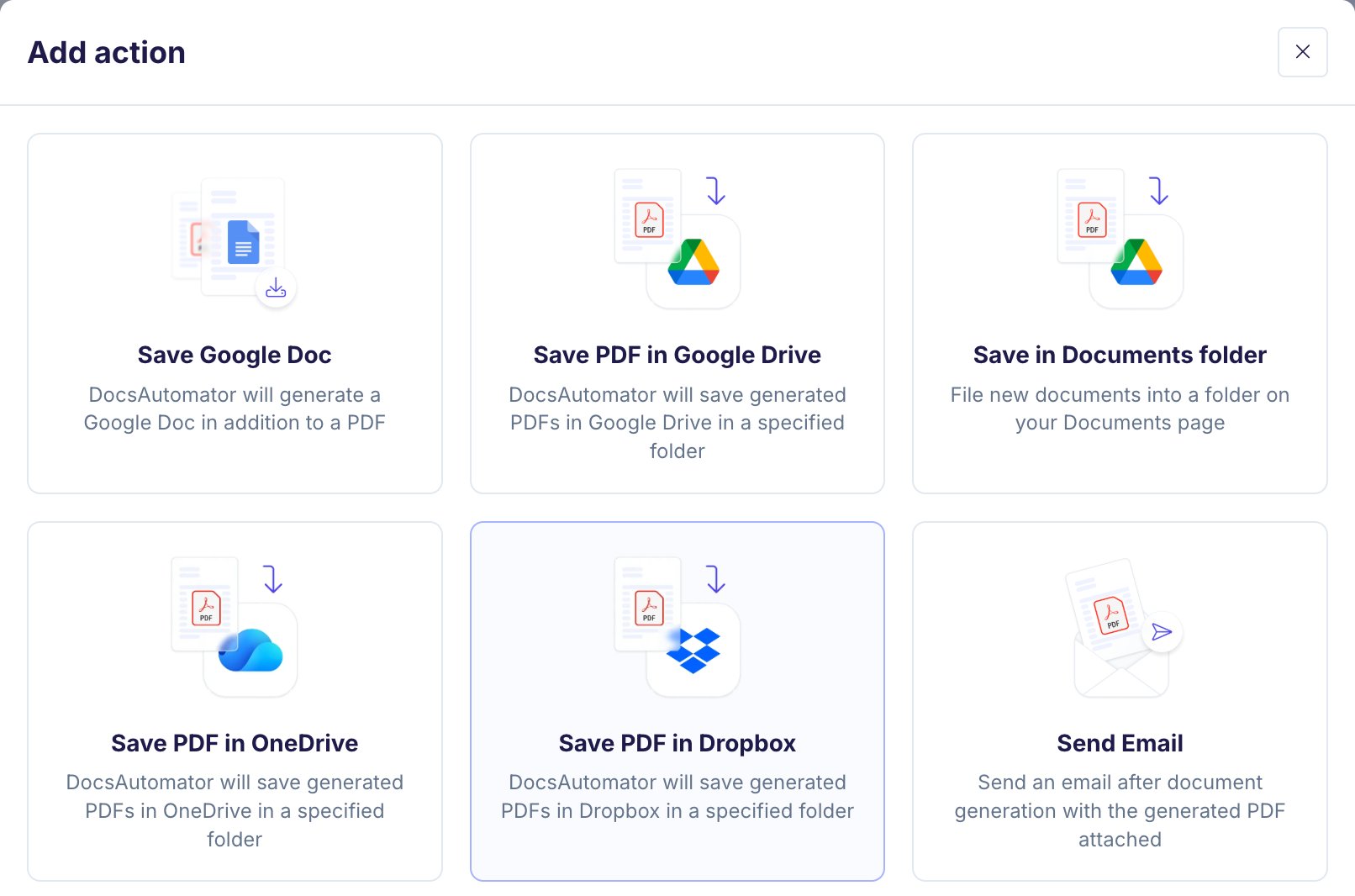
- Save PDF in Dropbox: a new action in the Actions card saves the generated PDF to a Dropbox folder you choose. It works with Google Doc, Word and PDF templates.
- Subfolders from your data: build a subfolder from text and placeholders, for example
Clients/{{client_name}}. Dropbox creates missing folders, and a file with the same name is never overwritten. - Word files: the Save Word Document action has a Save to Dropbox? toggle that saves the
.docxfile too. - Signed PDFs: turn on Save to Dropbox under After signing to save the signed or accepted PDF when everyone has finished.
- Several accounts: connect one or more Dropbox accounts per workspace under Settings → Integrations, on every plan.
A check before a manual run sends anything
When you create documents by hand and the run starts signing or acceptance, sends an email or writes back to your data source, DocsAutomator now shows one more step before it starts. The step names the action and the count, for example “Send 3 signing requests”, and lists the records and the recipients. Click Back to stop without sending anything.- In test mode, the step says that requests and emails still go to real people, and that test documents are free.
- In live mode, the step says that each document counts toward your plan. Until October 6 it also named the signing price of the time, $0.50 per document; since October 6, signing and acceptance are included in every plan.
- When signing or acceptance is on and the automation sends no email, you can choose Create documents without signing requests.
Fixes
- Signing URL Field: the picker now offers only fields that can hold a link: URL and text fields in Airtable, Notion, SmartSuite and ClickUp, and any column in Google Sheets. Before, it also offered fields such as attachments, and every write of the signing link failed. A saved field that cannot hold a link now shows a red note with the field types to choose from. See Save to Data Source.
- Documents that are being generated during an update now finish before the update completes. Very long runs, over about four minutes, start again without creating a duplicate. Before, an update could stop a run, and the document could come out twice or not at all.
- A run that stops and runs again no longer repeats the steps it already finished: the copy in Google Drive or OneDrive, the attachment write-back, the email, the signing request and the webhook.
- A run that cannot finish now shows as failed in the run history, with an error notification. Before, it could stay “Queued” with no message.
On the website
The PDF generation page now describes every output the app offers today, including Dropbox, Word files, PDF templates, the webhook and the signing or acceptance step.AI Agent: a template, not a filled document
When you paste a finished document into the AI Agent, it now builds a template from it. Text that is the same in every document stays in the template, for example your company details, standard terms and your signature block. Everything about one case becomes a placeholder, for example the client, the items, the amounts and the dates. The values you pasted become the sample data of the preview.After the preview, the agent asks Do you need this once, or regularly?- Regularly: the setup continues with your data source.
- Once: the agent tells you that DocsAutomator is built for documents that you make again and again from data, and that a word processor or a chat assistant is faster for a single document. The template stays in your automation.
- In Softr, Zapier, Make, n8n and Noloco you select the automation from a list. The agent and the Softr setup guide now say so and give the real steps. Before, they told you to paste the automation ID.
- A reply is no longer lost when a second account signs in to the same browser tab.
MCP server: 18 tools
The DocsAutomator MCP server now has 18 tools instead of 48. Each tool covers what several old tools did, so AI clients pick the right tool faster, and every tool fits into the ChatGPT desktop app. A client that calls a retired tool gets an answer that names the new tool. See Available Tools.- ChatGPT can now save placeholder descriptions and field mappings. Before, it received a tool definition that allowed only empty values.
- Before an AI client creates an automation, it checks your existing automations and asks whether to use one of them.
- When an AI client changes the format of a placeholder, it is told to update the placeholder’s description to match.
Fixes
- Images taller than the page are no longer cut off. DocsAutomator shrinks them to fit the page and keeps their proportions. This works in Google Doc and Word templates, and in Google Doc templates also in line items and repeating sections. Images that fit do not change. See Dynamic Images.
- PDF templates: on preview documents, e-sign fields now sit where you placed them in the PDF editor. Before, the signature and the date landed about 1 cm lower. Live documents were not affected.
- PDF editor: a new field gets a number one higher than the highest field of its type. Before, a gap such as
text_1,text_2,text_5could give the new field the name of an existing field, and both fields showed the same value. - PDF editor: new e-sign text fields and checkboxes get a label, for example
field_1. Before, every signing request from a template with such a field failed. See E-Signature Fields on PDFs. - A signer set to Given with each request on an automation that reads from a record source, Zapier, Make, n8n, Glide or Noloco is now marked as not ready, and the signer panel says what to change. These sources never send a recipient, so every run failed. The error of such a run now names the setting: “Open the automation’s Signing & Acceptance panel and set Signer 1’s email to the Airtable field that holds it.”
- The Format panel shows its examples in the automation’s locale and currency, for example “1.234,50 €” for a German automation in euros. Before, it always showed US examples.
- Airtable: when Airtable’s rate limit slows a run down, the run history now shows a warning that says so. Before, these documents took longer with no explanation.
New accounts start on their first automation
Signing up with an email address now takes one step: enter your email and a password, and the account exists. A confirmation email goes out at once. Every new account lands on its first automation with a welcome message from the founder, instead of a separate welcome screen. When you start from the chat box on the homepage, your request and an attached PDF or Word file come along, and the AI Agent starts with them.Until you confirm your email address, you can generate and preview documents, but DocsAutomator holds every email to other people: document emails, test emails, signing and acceptance invitations, reminders and team invites. Switching an automation live also waits for the confirmation. Accounts created with Google or Microsoft, and invited team members, are not affected.Welcome emails to people who signed up without a name open with “Hi there,” and have no name in the subject.Word template designer: five document styles
The AI template designer now picks one of five document styles from the type of document:Your brand color replaces the accent color of the style. The style gallery and Surprise me are gone from the form. The form keeps Recreate a document, the brand colors and the paper size. See AI Template Generator.Fixes in the designer:
- The large total on a quote shows the grand total. Before, a quote that ended with a deposit line could show the deposit.
- Description columns get the width they need. Before, columns with short values such as row numbers took space from the description.
- PDFs from Word templates use real bold and italic fonts for every font family the designer uses, such as Inter, Roboto, Lora and Playfair Display. Before, bold was a thickened regular weight, and Space Grotesk printed too light.
Document and signing cards in ChatGPT and Claude
When an AI client makes a document through the MCP server, ChatGPT and Claude now show a document card: the first page of the PDF and buttons for the PDF, the Word file and the Google Doc. When the document went out for signing or acceptance, the card says to whom.When you ask for the status of signing or acceptance requests, a status card lists each request and the status of every recipient (for example Signed, Accepted, Opened, Not opened or Declined). A Send reminder button appears for a recipient who has not finished. Test documents carry a Test badge on both cards.More MCP changes:- The ChatGPT desktop app can now sign in to DocsAutomator.
- New templates made through MCP are Word templates. AI clients no longer create or edit Google Docs. They can still use a Google Doc that you already have.
- When an AI client sets up a template, it stores what each placeholder means and how its value prints. It then sends raw values (numbers as numbers, dates as ISO dates), and DocsAutomator formats them on every run. See Format Values.
- The tool descriptions no longer state prices. When you ask your AI client about a price, it looks it up in these docs.
Fixes
- Repeating sections: Airtable rich text fields keep their formatting (bold, italics, lists) in Google Doc templates. Before, they printed “[object Object]”. Rich text in the nested rows of a section in Word templates is fixed too. See Repeating Sections.
- A date with dots, such as
01.10.2026, is always read day first. Before, a date with both parts at 12 or lower could print as 10 January. Dates with slashes keep the month-first reading. - A number format no longer reads text such as
1.234as a decimal number when the automation’s locale uses a decimal comma. The value prints as it was sent.
New pages on the website
Twelve new pages show how to make documents from tools that DocsAutomator has no direct connection to, through Zapier, Make, n8n or an AI assistant such as Claude or ChatGPT. They cover Salesforce, SharePoint, HubSpot, QuickBooks, Smartsheet, Pipedrive, Clio, Procore, monday.com, Xero, Zoho CRM and Jobber. For example, see Contracts from HubSpot.Fixes
- MCP: tools that need a connected account now say when the connection is missing. Before, an AI client could report “no bases” or “no tasks” for an Airtable, SmartSuite or ClickUp account that was not connected, and a Google Doc that could not be read gave a technical error.
AI Agent: to a finished preview faster
- After every new template, the agent shows a preview of the finished document right away, with sample values when no data is connected.
- The agent designs a Word template at once. It no longer asks you to pick a style first. When you share a website or a logo, it uses your brand colors.
- Attach your logo in the chat and ask for a new template: the logo is in the first version.
- Attach an existing document (a PDF or images of its pages) and ask for a template like it: the designer copies the layout and the look from the pages. Recreate a document in the Word AI form works with PDF files again.
- The agent no longer creates or edits Google Doc templates. It designs new templates as Word templates and still links a Google Doc that you already have. For a change to a linked Google Doc, it tells you the exact text to change.
- The agent no longer replaces a Word file you uploaded, unless you ask it to.
- Templates for documents that are accepted, or not signed in DocsAutomator, no longer get a signature block with e-sign tags.
Better first drafts from the template designer
- Every placeholder you name in your request is in the template. Forms, consents, policies and recreated documents now also get a check that adds missing placeholders.
- The designer no longer invents terms such as a warranty period, a deadline or delivery terms. It adds a placeholder or leaves them out. It also makes no claims about legal validity.
- Nothing comes after the signatures, terms follow the totals, and the acceptance note stays with the text above it.
- Requests in German no longer fail, and the agent can now edit placeholders written in any alphabet, such as
{{Straße}}or{{prénom}}.
Signing and acceptance
- The “Sent via DocsAutomator” line in signing and acceptance emails is translated into all nine signing languages.
- On phones, the header of the signing and acceptance pages shows the recipient’s full name on its own row. Before, long names were cut off.
- After a recipient signs or accepts, the page shows the link “Start signing with DocsAutomator” in place of the old badge. White-label sessions show no link.
- A document closes in one of two ways: signing or acceptance. In How it completes, the option for an automation without either is now called No closing step. See Choosing How it Completes.
Fixes
- Word templates whose sections restart the page numbering no longer get extra blank pages in the PDF. Blank pages that you make with page breaks stay. See Word Template Guide.
- Claude and ChatGPT: when you connect DocsAutomator while you are signed out, you now come back to the consent screen after sign-in. Before, you landed on the dashboard and had to click Connect again.
Signing and acceptance documents are always kept
The PDF of a document that belongs to a signing or acceptance request is never deleted now, whatever the status of the request.- The expiry from your PDF storage settings and the cleanup of preview documents skip it.
- Emptying the trash keeps its PDF.
- Delete PDF from storage is hidden for these documents. Delete forever removes the document from the list but keeps its file and link.
Location on the Certificate of Acceptance
The Certificate of Acceptance now shows the recipient’s approximate location (city, region and country) under the IP address, as the signing certificate does. DocsAutomator now looks up these locations on its own servers with the DB-IP database, so signer IP addresses no longer go to an outside service. Where a location is shown, the credit “IP Geolocation by DB-IP” appears. See The Certificate of Acceptance.Delete AI Agent conversations
You can now delete a conversation from the Conversations drawer of the AI Agent. The delete removes the messages and the files you attached in that conversation. See AI Agent.Word and PDF templates
- SVG images now work in Word and PDF templates, from a URL or as a data URI. DocsAutomator converts them to PNG and keeps their proportions. Before, an SVG in a Word template printed at 150 x 150 pixels, and PDF templates refused SVG links. The AI Agent’s logo tools accept SVG logos too.
- When a Word file cannot be built, the error now names the cause. When a Delete paragraph / row when empty rule broke the file, the message names the field and tells you how to fix it.
- Delete paragraph / row when empty now works for a field in a layout table that also holds a nested table. Before, the run failed with a converter error. A blank line right above a deleted line now stays. See Conditional Paragraph / Row Deletion.
- The error for the automation limit now names your plan and its limit, for example “Automation limit reached (5 of 5 in use). The Professional plan includes 5 automations.”
MCP server
- The list of automations comes in pages and can be filtered by title, so workspaces with many automations get complete answers.
- Signing status results no longer contain signing link tokens or signer IP addresses.
- When a tool needs a permission that your sign-in did not grant, the AI client asks you to authorize again.
Fixes
- AI Agent: undoing a template edit no longer breaks the field mapping.
- AI Agent: the agent no longer says that an auto-number column width or an e-sign field mapping “did not take” when the setting was saved.
API: read the whole automation
GET /automations and GET /automation now return the configuration of the automation. This includes the email action, the Google Drive and OneDrive destinations, the webhook, the PDF merge and a signing summary. GET /automation adds the email subject, body and recipients, the field mappings, the placeholder options, the line item settings and the full signing configuration. Everything you can write with PUT /updateAutomation, you can now read back.POST /createDocument now accepts automationId, the name that every other endpoint uses. docId still works. A request with both fields and different values is refused. See Create documents from the API.AI Agent fixes
- The agent no longer writes your API key in the chat. Setup steps show
YOUR_API_KEYand tell you where to copy the key. The Setup Instructions panel still shows the real key. - The agent checks every save and tells you when a setting did not take.
- Skip Records Conditionally rules must name a line item placeholder of the template. The agent can no longer save a rule on a field that the template lacks, which skipped every row. The editor shows such a saved rule in red as
NAME (missing). - The agent searches these docs before it answers a how-to question, and it writes API requests with the real field names.
- When you open another automation during a chat, the agent knows which automation you mean.
- A long reply always ends with a message to you. After two failed edits of a template in a row, the agent stops and tells you what it could not change.
Fixes
- Signing emails no longer greet signers with “Hello [object Object]” when the name comes from a SmartSuite full name field, an Airtable collaborator field or another field with structured values. Email addresses are read from person fields too.
- When no email recipient resolves, for example because the email field is empty, the run history now shows the email as not sent, with the error. Before, it showed “Sent”.
- New document links on files.docsautomator.co use a random key that cannot be guessed. Existing links keep working.
- The lists of documents, runs, automations and templates shorten long values in every column. Before, long values ran into the next column. Tooltips now show above form fields.
Acceptance, and e-signing charged when the recipient opens the document
Acceptance is a new way to complete a document. The recipient opens the link and clicks Accept instead of signing. DocsAutomator records the acceptance in the audit trail and adds a Certificate of Acceptance to the PDF. Use it for quotes, offers and purchase orders. To turn it on, open the Signing & Acceptance card of an automation and choose Acceptance under How it completes.Billing change for e-signing and acceptance:- Each document costs $0.50, charged when the first recipient opens it. Before, the charge happened when the request was sent.
- A request that nobody opens is free. A request that is opened but not finished still counts.
- Above 500 documents in a billing month, each document costs $0.35.
- Reminders are on by default for new automations. Existing automations keep their current setting.
- Two days before a request expires, the sender gets an email that lists who has not finished yet.
Italian for signing and acceptance
Italian is a new language for the signing and acceptance pages, the emails and the Certificate of Acceptance. The document viewer on these pages is now translated into every signing language. Timestamps on the Certificate of Acceptance use the language of the certificate. See Signer Language.Recipients with each request
A document request can now name who signs or accepts that one document, withrecipients. A listed signer’s email and name replace the saved ones for this document only. For API and MCP automations and automations without a data source, a signer’s email can also be set to Given with each request in the Signing & Acceptance card. See Create documents from the API.Fixes
- Airtable and Notion triggers and the scheduled Google Sheets and Google Forms checks no longer start runs for automations that are switched off. Before, each such run failed with “Automation is not active”.
- When you change or remove the data source of an automation, the triggers of the old source are switched off.
- Line item groups sort by date when the grouping field is a date. Before, they sorted as text, so “30.8.” came after “1.9.”.
- Signing completion emails now fill in
{{signerName}}and{{signerEmail}}for each signer. Before, a body that started with “Hello ,” sent “Hello ,”.
Fewer blank lines around conditional sections
Section tags ({{section_NAME}} and {{/section_NAME}}) in Google Doc templates leave less empty space behind.- A tag paragraph directly above a table no longer leaves a blank line above the table. Some documents come out a page shorter.
- A hidden section leaves no empty lines behind.
- A heading or indented line right after a section tag keeps the style from the template.
- A tag paragraph that also holds a page break, an image or a horizontal line keeps that element. Only the tag text is removed.
- A hidden section that starts outside a table and ends inside a table now fails with a message that names the tag and says how to fix it.
AI Agent: your first document without the last click
When the AI Agent finishes a new template, it now shows a preview of the finished document right away. It uses a real record when a data source is connected, or realistic sample values when it is not. A preview is free and watermarked. It does not count toward your document quota, and it sends no email, starts no signing request, saves nothing to your cloud storage and writes nothing back to your data. A full test run with emails and signing still asks for your approval first.The AI Agent also got three fixes:- Notion field mappings no longer fail when the agent writes a property ID in a different form than Notion lists it.
- The agent now sees whether automatic polling is on for Google Sheets and Google Forms automations.
- The agent warns you about e-sign tags whose label has spaces or other characters that the generator does not accept, and about section tag pairs that are missing the
section_prefix.
Fixes
- API and no-code requests: a top-level field called
data(for example “data” as the Portuguese or Spanish word for date) is now filled into the document like any other field. Before, it replaced all other fields and the document came out empty.
Emails look like the email editor
Automation emails and e-signing emails with a custom body now keep the spacing you see in the email body editor.- A blank line in the editor is one blank line in the email. Before, several blank lines could disappear and paragraphs ran together.
- Lines separated by one Enter sit directly under each other, as in the editor. Before, mail clients such as Gmail added a gap between them.
- Lists no longer get an extra blank line above and below.
- Custom e-signing email bodies follow the same rule.
Fixes
- Keep Section On One Page now also keeps table rows and headings together in Google Doc templates. A table row no longer breaks across a page, and the heading above a table moves to the next page with the table. A table can still split between two rows.
- A line item table no longer comes out with only its header row when a top-level placeholder with the same name as a line item column has “delete when empty” turned on.
- The AI Agent can now read the fields of SmartSuite tables reliably.
Skipped PDF merges are shown on the run
Merge Existing PDFs is a Business plan feature. On other plans, a run with the merge turned on completed without the extra PDFs and gave no reason.- The run now shows a warning in amber on the Logs tab and on the document page: the merge was skipped because it is a Business plan feature.
- The AI Agent no longer turns the merge on for a plan that does not include it. It tells you instead, and explains missing pages on existing automations.
AI Agent fixes
- When you rename a placeholder, every setting for it moves to the new name: the field mapping, formats, descriptions, image options, show and hide rules, conditional styles, section rules, line item grouping, sorting and calculations, and email conditions. Before, only the field mapping moved.
- A template edit that fails no longer uses up one of the five undo steps.
- The agent now sees placeholder formats, section rules and line item grouping, sorting and skip rules. Before, it could tell you these were not set.
Fixes
- E-signing emails now fill in their placeholders when you send an already generated Google Doc for signing again through the API (with
docTemplateLink). Before, the invitation, reminder and completion emails showed raw placeholders such as{{quote_number}}.
Fixes
- Merge PDFs: when an attached PDF cannot be read, DocsAutomator now repairs it and merges it. If the file cannot be repaired, the run fails with a message that names the file (“attached PDF 2 of 3”) and says how to fix it. Before, the unreadable file was left out and the run still showed as successful.
AI Agent improvements
- The AI Agent can now map a line item field through an Airtable linked record (for example
Product.SKU), the same way the mapping panel does. - For new accounts, the welcome chat asks first whether you need one document or a repeating flow. A one-time document takes the fastest path to a finished file.
Fixes
- Notion: rollup fields that show the original values (“Show original”) are filled in again. For some automations they came out empty since September 1.
Fixes
- Nested line items with grouping and Hide Grouping Key Column turned on no longer delete the whole table from the generated document.
- Notion: the relation picker and the Sort by list of a nested line item level no longer load forever when an automation has two or more nested levels.
- When the connected Google account cannot save to the output folder, the error now says so and tells you to pick a folder that account can edit or to reconnect with the folder’s owner. Before, it showed Google’s message “Insufficient permissions for the specified parent.”
- AI Agent: a chat open in a second browser tab no longer overwrites a conversation, so templates and automations the agent built stay in the chat history.
Fixes
- A closing section tag (
{{/section_NAME}}) in the last paragraph of a Google Doc template no longer resets the section’s text to the default font size.
E-sign email delivery outcomes
Every e-sign email (invitation, resend, reminder, completion and the notification emails) now produces a delivery record: which provider accepted it, from which mailbox, the provider’s message ID (and thread ID for Gmail), and an outcome ofaccepted, failed or unknown.- Where to read it:
signers[].inviteDeliveryonGET /esign/sessions/:id,metadata.deliveryon the audit events, and two new webhook events,esign.email_sentandesign.email_failed. Run history and the session page show the outcome under each signer. - Fallback is now visible: when a connected Gmail or Outlook mailbox rejects a message, DocsAutomator sends it from its own address instead. The record shows
fallbackFromand the reason. - Resend uses your sender: a manual resend previously went out from DocsAutomator’s address even when the automation was set to send from your Gmail or Outlook. It now uses the same sender as the original invitation.
Fixes
- ClickUp: a date field can now show the date without a time. Open the placeholder’s format settings and choose No time. Before, ClickUp dates always showed a time such as “04:00”, and the format setting had no effect.
Fixes
- Airtable: a rich text field with a line that holds only
+or-no longer makes the generation fail.
Fixes
- The template preview of a Google Doc with several tabs now shows only the first tab, the same as the generated document. Before, it could show a page with only “Tab 1” on it.
E-sign fields in table cells
E-sign tags in narrow table cells no longer leave pieces of the tag visible in the signing page and the signed PDF. The fillable field now sits inside the printed cell, and the table keeps its row heights and page layout.Fixes
- Google Docs: the same placeholder in more than one header or footer is now filled in every place. Before, the generation could fail with “Invalid range: must contain a start and end index”.
- Airtable: lookup fields that pull values through another lookup or linked record no longer come out empty, as
[object Object], or make the generation fail. - Notion: Sum and other aggregate rollups now show the value Notion shows. Before, a rollup over more than 25 related pages or over a formula property could be wrong or zero.
- AI Agent: after it saves field mappings, the agent now sees which field each placeholder is mapped to, and it warns when a mapping looks crossed with another field.
Fixes
- E-sign checkboxes now sit exactly where you typed the
{{esign.checkbox_...}}tag in the template. Before, the box was centered in the space of the whole tag text and could look out of place.
Sequential signing with gaps in signer numbers
Sequential signing now works when the signer numbers in a template have gaps. For example, a lease template can hold optional co-tenants in conditional sections and a countersigner fixed at{{esign.signature_7}}. With one tenant, the signers are 1 and 7. Signers are now invited in the order of their numbers. Before, the chain stopped after signer 1 and signer 7 was never invited.Signer labels in the app also use the real signer numbers now. See Variable Number of Signers.Smaller changes and fixes
- Google Forms automations that read the form directly now check for new responses every minute. Automations that read a linked response sheet still check every 5 minutes.
- Automatic generation from Google Sheets and Google Forms no longer skips a row or response when queuing it fails, and no longer creates a duplicate document after a server restart.
- Grouped line items with an auto-number column and a conditional row highlight now highlight only the matching row. Before, the number cells of the rows above were highlighted too.
- A repeating section tag that shares a paragraph with other text (often because of a soft line break, Shift+Enter) now gives a clear error that says how to fix the template. Before, the error said “Line item row not found”.
- When a subscription has ended, the message now says so instead of “You are on the trial plan”.
- The automation name field uses the free width of the top bar, so long names are easier to read.
- The back button on the automation page returns to the list with its scroll position and filters kept.
Repeating sections: keep on one page, and conditional styling
Two improvements for repeating sections ({{line_items_1}} … {{/line_items_1}}), in both Google Doc and Word templates.- Keep Section On One Page: a new toggle below “Page Break Between Sections”. A section that does not fit in the remaining page space moves whole to the next page; short sections still share pages. (A table inside a section can still split between its rows.)
- Conditional styling now works inside sections in Google Doc templates: rules like color the category red when it contains “Critical” are evaluated per record and style that record’s value, in section paragraphs and in tables inside the section. Word templates already behaved this way.
E-signing for Google Forms
Documents generated from Google Forms responses can now be routed for signing automatically. The respondent receives an email with a signing link for their document, and the signer defaults to the respondent’s email address from the form — a consent form or waiver needs no signer setup at all.Signing requires the form to collect email addresses (or a question asking for the signer’s email). See Google Forms for details.Google Forms is now a first-class data source
DocsAutomator reads Google Forms responses directly — no linked response sheet, no add-on, no Apps Script.- Paste any form link: the editor link, the published link, or a short forms.gle link. DocsAutomator resolves it to the right form in your account. Browsing your forms in a picker works too.
- Automatic generation: enable auto-create and every new response becomes a document within minutes. Responses submitted before you enable it are left alone.
- Stable mappings: placeholders bind to the question itself, so rewording a question breaks nothing. Grids map row by row, file uploads work with dynamic images, and the respondent’s email address is available for delivery — email each respondent their own document without an extra question.
- Linked sheets still work: a form with a linked response sheet can read from the sheet instead, keeping computed columns, the document-link write-back, and the per-row generate link.
ClickUp: line items, Files custom fields, and signed-PDF targets
The ClickUp integration catches up with Airtable and Notion on three fronts.- Line items:
{{line_items_1}}tables and repeating sections now work with ClickUp. Each group pulls its rows from the task’s subtasks or from a Relationship custom field pointing at a dedicated items list (for example a Deals list linked to a Line Items list). Configure it in the Data panel; item rows can use the linked list’s custom fields plus all standard task fields. - Save the PDF into a Files custom field: the “Save PDF to ClickUp task” action gained an Attach To picker — keep the default task attachments, or file the generated PDF into any Files custom field on the task.
- Signed PDFs too: in the E-Signing settings, “Save Signed PDF To” now offers the same choice — task attachments or a Files custom field.
Files you send the AI Agent now stay put
A logo, a screenshot or a reference document you attach in the AI Agent chat stays available for the rest of the conversation, including after a page refresh and when you come back to the chat days later.- Attachments used to last only for the message you sent them with. Reopen the chat and the AI Agent could no longer see the file, so it had to ask you to send it again.
- Images now also stay visible in the chat history instead of turning into a placeholder line.
- Attachments are deleted 90 days after the last message in that conversation.
MCP server v2: build automations with any AI client
The DocsAutomator MCP server now exposes the same tool set as the in-app AI Agent — 50+ tools instead of 20. An AI client such as Claude or Cursor can now build a complete automation over MCP: generate a Word or Google Doc template with AI, upload an existing file, map fields against the live data source schema, configure line items, conditions, output, e-signing, and triggers, and debug runs.- AI template generation over MCP:
generate_word_template,edit_word_template, andcreate_google_doc_templatecreate and edit templates from a prompt. - Template upload:
upload_word_templateandupload_pdf_templateaccept an existing .docx or PDF. - Full configuration: field mappings, line items, conditional sections, output settings, e-signature, and automatic triggers.
- Everything that worked before keeps working: existing MCP connections, tool names, and OAuth logins are unchanged.
Descriptions for AI clients
- Automation description: a note on what an automation is for and what data it needs, editable under Automation Settings.
list_automationsreturns it, so an AI client picks the right automation. - Placeholder descriptions: per-placeholder instructions, editable via the gear icon next to a mapping.
list_placeholdersreturns them (MCP and REST API), so an AI client knows what data belongs in each placeholder — no more maintaining placeholder notes in your own prompts. - Templates generated by AI (in the app or over MCP) record their placeholder descriptions automatically at generation time.
Repeating sections
Line items can now repeat a whole block of content per record, not only table rows. Put{{line_items_1}} and {{/line_items_1}} in their own paragraphs, and everything between the two tags repeats for each record. This works in Google Docs and Word templates.- The repeated block can hold headings, paragraphs, tables, images, bullet lists, and numbered lists. Numbered lists restart at 1 for each record.
- Nested line items work inside a block: a table row with
{{line_items_1_1}}fields repeats per child record, per section. - Page break between sections: an option in the line item settings starts each record on a new page.
- Skip records conditionally: rules in the line item settings skip records, for example rooms without findings. Rules read the record’s own fields or the count of its nested records.
- 1-click AI mapping now also maps nested line item fields, each level against its own linked table (Airtable and Notion).
- The template check warns about tags that share a paragraph with other text, unclosed tags, and other layouts the engine cannot repeat.
- The AI Agent knows the syntax and the options.
Two behavior changes for existing Word templates
- A
{{line_items_1}}marker in the last cell of a table row now repeats the row per record. Before, all records were joined inside that one cell. - Nested line item rows (
{{line_items_1_1}}in the row below the parent row) now render in Word templates. Before, Word ignored them.
Smaller changes
- Switching an automation’s template format (for example Word to Google Docs) no longer deletes the old template file. The file stays in My Templates as its own entry.
- The line item cards use one wording across all data sources, and a card with block tags is named Repeating Section instead of Line Items.
Signing switch in the E-Signing panel
E-signing on an automation now has an explicit on/off switch at the top of the E-Signing panel.- Signing is on or off as you set it. The template no longer switches it on or off by itself.
- While signing is off, the panel shows only the switch, and documents are delivered without a signing request.
- If the template has signing tags and signers but signing is off, the E-Signing card says so.
- Nothing changes for existing automations: every automation keeps its current setting.
- Also fixed: “Add signer” on Word templates now opens the template editor, and switching a signer from a fixed address to a data field clears the old address.
Fixes across sections, line items, Notion, and Word templates
- A hidden section nested inside another hidden section no longer deletes content below the outer closing tag. This affected Google Docs and Word templates.
- Grouped line items keep their row borders again. Before, rows above the first group header lost their column borders.
- A line item field named
section_nameis no longer treated as a conditional section. A{{section_*}}tag counts as a section only when the template also has the closing tag, or when a rule with that name exists. - Word templates: a
{{line_items_1}}marker followed by a line break, or alone in its paragraph, no longer leaves an empty line above the first row. - Word templates: one unclosed
{{in a document no longer blocks every AI edit. The template check now names the stray brace and shows the text around it. - PDF templates: Chinese, Japanese, and Korean text renders with Noto Sans CJK instead of empty boxes.
- Notion: date and time values keep the time zone set in Notion. Before, the time shifted to UTC on generation.
- Airtable, SmartSuite, ClickUp: images with a link attached keep the link when the image is a URL or formula field. Linked images in line items no longer lose the link.
- Duplicating or transferring an automation now copies the Word template file. Before, the copy shared the file with the original, and a new upload on the copy removed the original’s file.
- A run that never reached the queue now shows as Interrupted after 60 minutes instead of pending forever. The run page tells you to trigger the record again.
- The AI Agent accepts a bare Google Doc ID as well as the full URL.
- Email editor: image alignment and size set in the editor now reach the sent email. Image formats that email clients cannot show (webp, svg, avif, heic, tiff, bmp, ico) are rejected when you add them.
AI Agent creates Google Doc templates, and shows you looks before it writes
- Google Doc templates from scratch: ask the AI Agent for a template and it can now author a native Google Doc in your Drive, not only a Word file. This is the path to use for nested line items, which Word templates do not support. If a template is already linked, the agent asks before it replaces it, and the old file is never deleted.
- Preview looks first: for Word templates the agent renders your own document in three looks (restrained, branded, expressive) and shows them as image cards. Pick one and the agent adopts it without a second generation. Brand colors are inferred from what you tell it.
- Keeps your nested line items: changing the data source from the chat no longer removes level 2 and 3 line item settings made in the Data card.
- Plan access up front: on a plan without e-signing, the agent says so before it sets up signers instead of presenting the automation as ready to go live. Test Mode signing still works.
- Email content guard: the agent refuses to save email subjects or bodies shaped like credential phishing (account threat plus a “verify your account” call to action). This is a platform rule with no override.
- The chat no longer jumps to the bottom while the agent writes if you scrolled up.
Transparent group rows
Grouped line items have a new Transparent background option for the group header row and the calculation row. Turn it on and the row takes no fill, so the table keeps the look of your template.Smaller changes
- Live webinars in the left sidebar lists the upcoming sessions from our calendar. The next two also appear in the welcome email new signups receive.
- Download is a bulk action in My Templates, Recently used, and Trash for Word and PDF templates. Open is a bulk action in the Template Library.
- The document generated from New Document opens full size in a scrollable viewer, with a button to open it in a new tab.
- The Documents, Templates, Automations, and Logs lists share one layout, and Automations sits above Templates in the sidebar.
Show unique values only
When a placeholder reads a field through an Airtable linked record, repeated values can now be listed once instead of over and over.- Mapping a placeholder through a linked record field reads that field from every linked record and joins the results with commas. If several linked records share a value, it repeated:
Acme Corp, Acme Corp, Acme Corp. - Turn on Show unique values only in the placeholder settings and each value is listed once, in the order it first appears.
- The option shows up only on placeholders mapped through a linked record, and works for main fields and line item fields.
- It is off by default, so existing documents are unchanged.
Resizable Mapping Panel
The Data / Placeholders panel in the automation editor can now be stretched, so long placeholder and field names stay readable while you map.- Drag the panel’s left edge to make it wider (or narrower). The width is remembered per browser.
- Once the panel is wide enough, each mapping row shows the placeholder and its field side by side, connected by an arrow. This makes the list vertically tighter, so more rows fit on screen.
- Field dropdowns now have the same compact height for every data source.
- Truncated names still show in full when you hover over them.
Auto Creation conditions: more field types and operators
Airtable Auto Creation now triggers on far more than a select or checkbox, with real conditions instead of only “equals”.- New trigger fields: text (single line, long text, email, URL, phone), numbers (number, currency, percent, rating), dates, attachments, and computed fields: formulas, rollups, counts, and lookups.
- New conditions, matched to the field type: does not equal, contains, does not contain, greater/less than (or equal), is empty, is not empty, and is after/before for dates. The vocabulary is the same one conditional sections use.
- Computed fields fire on indirect changes: edit a line item, and a trigger on the invoice’s rollup total fires when the recomputed total crosses your threshold. Lookup triggers fire when any looked-up value matches.
- Formula, rollup, and lookup conditions follow the computed result type, so a number formula gets number conditions and a date formula gets date conditions.
- Percent conditions are entered on the normal percent scale (50 means 50%).
Auto Creation for Airtable
Generate documents automatically when an Airtable record changes to match a condition you set, with nothing to configure inside Airtable.- Pick a field (single select, multiple select, or checkbox) and the value that should fire generation, for example Status = Approved. When a record changes to match, the document is generated within seconds.
- Also fires when a record is created already matching the condition, so records imported or added in bulk are covered.
- Renaming the select option in Airtable does not break the trigger.
- Works on every Airtable plan, including Free. No automation script, button, or paid Airtable feature is needed.
- Every evaluated change is visible in Documents → Logs: records that fired show as runs, and records that did not fire show a row explaining why (for example, the field changed to a different value).
- Find it on the automation page under Auto Create. Connections made before this release need a one-time reconnect of Airtable in Settings → Integrations to grant webhook access; automations, field mappings, and settings are kept.
Fixes across previews, e-signing, and templates
- One-page PDF previews now open correctly on iPhone and iPad.
- The e-signing certificate page now matches the document’s own page format instead of defaulting to A4.
- Bulleted values no longer leave an empty paragraph behind in generated documents.
- A template that contains the same line item marker twice now returns a clear error naming the duplicate, instead of generating a document with a broken table.
- ClickUp connection errors now show ClickUp’s own reason instead of a generic message.
Rename documents after generation
Select a document on the Documents page and click Rename to give it a name you can find again later. The new name is used in the list, search, sorting, and zip downloads; the original file in Google Drive is not changed.Also fixed: searching documents by name now works. Pressing Enter used to clear the search box instead of running the search.Reuse the same section in several places
A conditional section name can now be used as many times as you like in one template, so a block that belongs in three places no longer needs three separate names and three identical rules.- Use
{{section_NAME}}…{{/section_NAME}}wherever the block should appear. One rule controls every copy, so they all show or hide together. - Useful for long documents where the same clause, signature block or table column appears in more than one place, and for hiding a table column by wrapping both its header cell and its data cell in the same section.
- Previously a repeated section name could stop a document generating, or hide only the first copy in Word templates and leave the rest visible. Both are fixed.
- Section names that appear once are unaffected.
See which signature requests are actually stuck
Your dashboard now shows why each pending document has not been signed yet, so you can tell the difference between a contract someone is still reading and one that never reached them.- Waiting to be signed replaces the old “E-signing expires soon” list on the home page and in Documents. It now includes every open request, not only the ones close to expiring.
- Each document shows whether it has been opened: Not opened yet, Read, not signed, or partly signed with the signer count.
- Requests that nobody has opened after three days are marked as going cold. The signing link stays valid.
- Rows show how many reminders have already gone out, and when the last one was sent.
- Copy link puts the signing link on your clipboard so you can send it through WhatsApp, Slack, or any channel that works better than email.
- Documents are ordered by where a nudge still helps, starting with the ones that are partly signed.
- DocsAutomator no longer sends reminder or invitation emails to those signers under any circumstances, including from the dashboard buttons.
- Completion notifications now reach your team when a link-delivered document is fully signed. Previously nobody was told.
Meet the DocsAutomator AI Agent

- It reads your data: Airtable, Google Sheets, Notion, SmartSuite or ClickUp. It browses your tables and picks the fields that fit.
- It designs the template: pick a style and it writes a Word template with your placeholders already in the right spots.
- It maps the fields: line items included, so repeating rows work from the first run.
- It generates a test document: a real PDF from a real record, before anything goes live.
- It sets up the rest: signature fields, email delivery, Drive folders and the other actions, straight from the chat.
- It edits templates on request: describe the change in words and it rewrites the template.
- It knows the product: it answers setup questions from our documentation, and pulls in a human when it cannot help.
- It is free while it is new: included on every plan at no extra charge for now. If we ever put pricing around it, you will hear it from us first.
Control Signature Size With Your Template’s Font Size
Signatures in finished documents now scale with the font size of the signature tag in your template.- Make the
{{esign.signature_1}}tag bigger in your Google Doc or Word template (for example 24 to 30pt) and the signed signature renders proportionally bigger. Tags at the standard 11pt or smaller render exactly as before. - Date and text fields scale the same way, so a larger date tag produces a larger date.
- Signatures are also centered on the tag line and cropped to the drawn strokes, so they sit cleanly in the space where the tag was placed.
- This works per placement: different signature spots in the same document can use different sizes.
- Action needed: none. Existing templates and in-progress signing sessions are unaffected.
Fixed: Word Template Line Items From Zapier and Other Connectors Now Fill One Value Per Row
Line items in Word (.docx) templates now populate correctly when the data comes from Zapier, Noloco, and similar connectors.- Previously a line-item table repeated the correct number of rows but showed the whole column, every value joined together, in each row instead of one value per row. Google Doc templates were unaffected.
- This affected automations whose connector sends line-item fields grouped by the line-item table. The Zapier “Create Document” action always does, and Noloco and similar tools can too.
- Action needed: none. Re-run the automation and the rows fill in correctly. No changes to your template or field mapping are required.
Fixed: Word Templates Now Work With the Zapier “Create Document” Action
Automations built on a Word (.docx) template can now be selected in the Zapier “Create Document” action.- Previously the action reported “This automation does not have a document template” for Word template automations, even when the template was uploaded and previews worked. Google Doc and PDF template automations were unaffected.
- The action now recognizes Word templates and lists their placeholders as mappable fields.
- Action needed: none. If you built a Zap before this fix, reopen the Create Document step to refresh the automation and its fields.
Fixed: Outlook Now Sends Large Document Attachments
Automations that send through a connected Outlook / Microsoft 365 account can now email documents of any size, including large PDFs.- Previously, sending a document larger than about 3 MB through Outlook failed with an “Access is denied” error. Smaller attachments were unaffected, which is why most emails went through.
- Larger files are sent through an upload step that needed an extra mailbox permission, which DocsAutomator now requests when you connect Outlook.
- Action needed: reconnect your Outlook account under Workspace Settings → Integrations to grant the added permission. You will see one extra line about mailbox access on the Microsoft consent screen, which is expected.
Email the Generated Word Document
Automations built on a Word template can now attach the editable Word (.docx) file to the notification email, not just the PDF.- Turn on “Attach Generated Word document (.docx)” in the Send Email action to include the Word file.
- Works independently of the “Save Word document” action, so you can email the Word file without saving a copy to storage.
- Enable it alongside “Attach Generated PDF to Email” to send both files in one email.
- Available on Word template automations. PDF and Google Docs template automations are unaffected.
Fixed: Word Templates With Layered Layouts No Longer Fail to Generate
Word templates with deeply layered content, such as an image inside a table inside a text box (common in certificate and badge layouts), now generate correctly.- Previously, these templates failed with an “XML maximum depth reached” error. A safety limit in the template parser was stricter than the document structures Word itself produces.
- The limit now accommodates any realistic Word document. Existing templates are unaffected.
- No action needed: affected automations work again on the next run.
Fixed: E-Signature Fields in Templates Using the Inter Font
E-signature fields are now placed correctly in documents generated from templates that use the Inter font.- Previously, signature and date fields could be missing from the signing page when the template used Inter, while text fields kept working. The cause: exported PDFs encode Inter’s special bracket shapes next to numbers in a way that made tags like
{{esign.signature_1}}unrecognizable to the field scanner. - The scanner now recognizes these bracket variants, for Inter and any other font that renders them the same way.
- No action needed: affected automations work again on the next run. If you switched your template to a different font as a workaround, you can switch back to Inter.
Fixed: Hidden Windows Line Breaks No Longer Break Generation
Google Docs documents whose source data contains Windows-style line breaks (common when text is pasted from Word or Outlook) now generate correctly.- Previously, hidden carriage-return characters in line item fields could make a generation fail with a Google Docs error (“The insertion index must be inside the bounds of an existing paragraph”).
- DocsAutomator now removes these hidden characters automatically before rendering, matching how Google Docs itself treats them. The visible line breaks in your text are preserved exactly as before.
- No action needed: previously affected records generate correctly on the next run.
Multiple Email Recipients Now Receive One Shared Email
When an automation email has more than one recipient, everyone now receives a single shared email instead of a separate private copy each.- Every address you add is placed on the To line of one message, so recipients can see each other, just like an email you’d send with several people in the To field.
- This replaces the previous behavior, where each recipient received their own separate copy of the email.
- If a placeholder recipient (such as
{{contact_email}}) resolves to an empty or invalid address, it is skipped and the email is still sent to the remaining valid recipients. - Duplicate addresses are removed automatically, so no one is emailed twice.
- Applies to all senders: DocsAutomator Mail, Gmail, and Outlook. E-signature emails are unaffected, since each signer still receives their own unique signing link.
- See the Send Email guide.
Save Generated Word Files to OneDrive
Word (.docx) automations can now save the generated Word file straight to a Microsoft OneDrive folder, in addition to keeping it in run history or saving it to Google Drive.- Enable Save Word document, then turn on Save to OneDrive? to upload a copy of the generated
.docxto a OneDrive folder of your choice. - Uses your connected Microsoft account, the same one that powers Save PDFs in OneDrive and Outlook sending.
- Supports dynamic subfolders with
{{placeholders}}, so each document can land in its own folder. - Google Drive and OneDrive are independent options, so you can save to either, both, or neither.
- See the Save Word Document guide.
Confirmation Step Prevents Accidental Duplicate Documents
Opening a generation link in your browser now shows a quick confirmation page, so prefetching, link scanners, and double-clicks can no longer create duplicate documents on their own.- When you open a generation link in a browser, such as the Google Sheets per-row GENERATE DOC link or an Airtable or Notion button, DocsAutomator now shows a “Generate this document?” page. Nothing is created until you click Generate document.
- This prevents accidental duplicates caused by browser link prefetching, by email and link security scanners, or by a browser firing the same link more than once.
- If a generation is accidentally re-submitted, for example a quick double-click or a page refresh, it is recognized as a duplicate and not generated again. A Generate another copy option is available for when you genuinely want a second document.
- Automations triggered by Zapier, Make, n8n, the API, MCP, ClickUp, or auto-polling are unaffected. The confirmation only applies to links you open in a browser.
- See the Google Sheets guide for the generation link.
More Field Types for Document Naming (Airtable)
You can now name generated documents from almost any Airtable field, not just single line text and formula fields.- The Document name field picker now includes long text, rich text, select, number, currency, date, formula, rollup, and more — so bases imported from Excel/CSV (whose columns come in as long text) no longer show “No options found”
- Long or multi-line values are automatically trimmed to a safe length and stripped of line breaks, keeping file names and PDF titles clean across every data source
- See the Airtable guide for the document name field
Bold, Italic, and Underline for PDF Template Fields
Text fields on PDF templates can now be styled with bold, italic, underline, and strikethrough, set per placeholder right in the visual editor.- Open a text placeholder’s properties and use the new Text Style toggles — combine bold, italic, underline, and strikethrough as needed
- Works with every available font (Helvetica, Times Roman, Courier, Roboto, Open Sans, Lato, Montserrat, Playfair Display) and across all text overflow modes
- Applies to both dynamic text and static text fields, and the live preview shows the styling before you generate
- See the PDF Template Guide for details
Clickable Images and Better Word Image Handling
Image placeholders can now be clickable links, and Word (.docx) templates handle images the same way Google Doc templates do.- Make any image a clickable hyperlink: open the placeholder’s image options, turn on Linked image, and pick the field, column, or placeholder whose value is the target URL. The link survives PDF export and works in both Google Doc and Word templates.
- Over the API, pass the link inline by sending the image value as a
{ "url", "link" }object, with no setup required. For no-code tools (Zapier, Make, Glide, Noloco, n8n), point the link at another mapped placeholder that holds the URL and hide that placeholder. - Word templates now resize images per placeholder, optimize them for file size with the same quality and maximum-width settings as Google Docs, and insert images from attachment and multi-image fields (a multi-image field inserts the first image).
- See Dynamic Images for setup.
Match Signing Sessions and Webhooks to Your Records
Signing sessions and webhook notifications now carry the identifier of the record that triggered the generation, so you can reconcile signing status and generated documents against your data source without guesswork.GET /esign/sessionsandGET /esign/sessions/{sessionId}return awebhookParamsobject with your custom parameters plus the trigger record identifier — ideal for periodic polling and reconciliation- The record identifier is included automatically per data source:
recIdfor Airtable, SmartSuite, and Notion (including button and formula-link triggers),taskIdfor ClickUp, androwNumberfor Google Sheets - Your own
webhookParamskeys are always preserved and never overwritten - Webhook notifications (document creation and all e-signing events) now include the same data under
webhookParams, matching the request parameter name — the existingadditionalParamskey is unchanged and stays supported - See the e-sign API reference for examples
Format Values for API, Softr, Zapier, Make, and More
The per-placeholder Format option now works for all API-based data sources, so raw values like1234.5 can render as €1,234.50 without pre-formatting them in your tool.- Available for API, Softr, Zapier, Make, n8n, Glide, Noloco, and MCP automations — open the gear icon next to any placeholder and pick a format
- Number styles (plain, decimal, currency with any ISO code, percent), date formats with optional time, and custom true/false labels (
Yes/No,☑/☐, or your own) - Output follows your automation’s locale, and works on line item fields too
- Values that don’t match the chosen format print exactly as passed, so a
"N/A"in a currency field never breaks a document - Show/Hide conditions, conditional styling, sorting, and grouping calculations keep evaluating the raw value you send — formatting is display-only
- See Format Values for details
Send Emails from the Team Member Who Generates the Document
Automation emails and e-signing emails can now be sent from the team member who generates the document, instead of one fixed account per automation.- Enable Send from the team member who generates the document in the email settings, and separately in the e-sign email settings, when Gmail or Outlook is the selected service
- DocsAutomator matches the generating member’s login email against the Gmail and Outlook accounts connected to the workspace and sends from their account
- The account configured in the automation stays the fallback, for example for automated triggers or members without a connected account
- Works automatically with the in-app Generate button; API calls and button links can name the member with the new
actingUserEmailparameter orX-Acting-User-Emailheader - See Send Email and the API reference for details
Microsoft 365 Support: Sign-In, OneDrive, Outlook, and Higher-Fidelity Word PDFs
Sign up and log in with Microsoft, and connect a Microsoft account to save documents to OneDrive, send emails from Outlook, and render Word templates to PDF with Microsoft’s own engine.- Sign in with Microsoft: create your account or log in with a Microsoft account, alongside the existing Google and email options
- Save PDFs to OneDrive: pick a destination folder, with optional dynamic subfolders built from
{{placeholders}}, the same way you already can with Google Drive - Send from Outlook: send generated documents and e-signing emails from your connected Outlook account, with a custom sender name
- Higher-fidelity Word rendering: render Word (
.docx) templates to PDF with Microsoft for the closest match to Word, especially for floating elements, text boxes, and non-standard fonts. DocsAutomator suggests it automatically when a template uses elements the default renderer may not reproduce exactly, and falls back to the default renderer if Microsoft is unavailable - Connect or disconnect a Microsoft account anytime under Workspace Settings, Integrations
- See Send Email, Save PDFs in OneDrive, and the Word Template Guide
Review Documents Before E-Signing
A newskipEsign parameter on the createDocument API generates the document without starting the signing workflow, so your team can review a contract before it goes out for signature.- Pass
skipEsign: truein any createDocument call (works with every data source): the document is created and delivered as usual, but no signing session is started and no signing emails go out - Once the document is approved, run the same automation again without the parameter to send it for signing
- Build two-step approval flows, for example two Airtable buttons: “Draft for Review” and “Send for Signing”
- The response includes
esignSkipped: trueso connected tools can tell drafts apart - See Review Before Signing and the API reference for details
Merge PDFs from Multiple Fields
The Merge Existing PDFs action now accepts more than one attachment field, so PDFs spread across separate fields can all end up in the same generated document without aggregating them first.- Select multiple attachment fields, columns, or file properties in Airtable, Google Sheets, SmartSuite, and Notion automations
- PDFs are merged field by field in the order you select the fields; within a field, the source order applies as before
- Empty fields are skipped, so optional attachments (a W-9 only some vendors provide, for example) never block generation
- Existing single-field setups keep working unchanged
Choose Which Image to Insert
Image placeholders with multiple images now have a “Which image” setting: insert all of them (the default), only the first, or only the last. Set per placeholder, works with every data source and template type, and existing “first image only” settings carry over unchanged. See Dynamic Images.Conditions on Lookups of Linked Records
Conditional rules referencing an Airtable linked-record field (or a lookup of one) now compare against the linked record’s primary field, the value you see in Airtable, instead of its internal record ID. Applies to sections, show / hide, conditional styling, and email send conditions. Formula-field workarounds keep working but are no longer needed.Microsoft Word (.docx) Templates
{{placeholders}} you already know into the Word document, connect your data, and DocsAutomator renders the result straight to PDF. No Google account required.- Same syntax, near-full feature parity. Line items (with auto row numbers), conditional sections, conditional show/hide and styling, markdown formatting, date and number formatting, dynamic images, and e-signatures all work in Word templates.
- Three ways to start. Pick a design from the new Word template gallery, upload your own
.docx, or describe the document and let AI create the template for you. - In-editor live preview. See your template rendered with sample data in a split view while you build, just like Google Doc templates.
- Keep the .docx output too. The new “Save Word document” action keeps the generated Word file, downloadable from run history, and can write it back to Airtable, SmartSuite, or Notion attachment fields or save it to Google Drive.
- Works with every data source, from Airtable and Notion to Zapier, Make, n8n, and the API.
- Your original template file is never modified, and faithful PDF rendering is built in (embed custom fonts in the file for exact matches).
- One current limitation: nested line items remain Google Docs only for now; single-level line items are fully supported.
Reply-To Address for Emails
You can now set a Reply-To address on the emails DocsAutomator sends, so replies go to whatever inbox you choose instead of the sender address.- Works with both senders. Applies whether you send via DocsAutomator Mail or your connected Gmail account.
- Optional per automation. Set it in the email action’s settings; leave it blank to keep the current behavior.
- Useful for routing replies to a shared support or sales inbox.
Cross-Field Conditions
Conditional rules can now compare against another field, not just a value you type in. This works across sections, show / hide, conditional styling, and email send conditions.- Compare against another field. A rule can compare a placeholder to another mapped placeholder, or to any field from your data source, including fields not mapped to a placeholder and the parent record’s field inside line items.
- Field-type-aware operators. Number fields get greater than / less than, date fields get is after / is before, and checkboxes get is true / is false, alongside the existing text and presence operators.
- ANY or ALL. When a section or placeholder has several conditions, choose whether all of them must pass (AND) or any one of them (OR).
- Simpler section editor. The section condition editor has a cleaner layout, and when all of a section’s rules share one show or hide setting it switches to a streamlined single-mode view instead of repeating the show/hide control on every rule.
- Existing conditions are unaffected and behave exactly as before.
E-Sign Fields Respect Conditional Sections
E-signature fields placed inside a hidden conditional section are now fully excluded from the signing workflow and billing.- No signing session is created when all e-sign fields fall inside hidden sections
- No $0.50 charge is billed for documents where the e-sign section was hidden
- Partial filtering works too: if some signers’ fields are in a hidden section and others are visible, only the visible signers receive a signing request
- Email delivery proceeds normally when e-sign is skipped, instead of being held for a signing session that won’t happen
Notion Integration
- Connect databases on the OAuth screen. Pick exactly which Notion databases DocsAutomator can see; nothing else in your workspace is exposed.
- Line items from related pages. Pull rows from a related database into a line-items table on the parent page’s document.
- Page body as a field. Map the Notion page body itself as a placeholder — formatted content flows through the same markdown pipeline as Airtable rich text and Google Doc content.
- Write results back to Notion. Upload generated PDFs to a file property on the source page, or save the PDF/Google Doc URL to a URL or text property.
- Full e-signing support. Trigger signing sessions from a Notion page and save the signed PDF back to the same page when all signers complete.
Easier Mobile Signing
Signers on phones occasionally missed the small green checkmark icon in the header that completes signing — the action is now front-and-center on mobile.- Sticky “Complete Signing →” button at the bottom of the screen appears as soon as all required fields are filled, right where the signer’s thumb already is.
- Header button is labelled “Done” on mobile instead of being a bare icon.
- Read-only view (shown after a signer has signed) uses a full-width bottom bar on mobile, replacing a cramped floating pill where the message wrapped into a narrow column next to “Powered by DocsAutomator”.
- Bottom bars now respect Safari’s URL bar — content no longer sits hidden behind it.
Replace a PDF Template Without Losing Placeholders
You can now swap the underlying PDF file on a template without rebuilding any of the placeholders you’ve already positioned. Useful when you receive a revised version of the same document (new logo, updated branding, minor copy change) and want to keep all your data mappings intact.- New “Replace PDF file” action in the three-dots menu on the template row, and a dedicated upload icon between Edit and Delete on the PDF template card.
- Placeholders, positions, sample data, and field properties carry over. Only the file binary is replaced. The new PDF is treated as the same template revision, not a fresh upload — DocsAutomator does not auto-detect AcroForm fields again.
- Review positions if the layout shifted. If the new PDF has different page dimensions or content reflowed, open the editor and nudge placeholders as needed. Page count differences can leave placeholders pointing at pages that no longer exist.
- Switching template format still resets cleanly. Use the “Switch template format” menu item (or the Change button in the format picker) when you want to start over with a different format — that path discards the PDF and its placeholders, as before.
Configure E-Signature From Your AI Assistant
The DocsAutomator MCP server now exposes a dedicated tool for editing the full e-signature configuration of an automation. Ask Claude, ChatGPT, or Cursor to set up signing in plain English instead of clicking through the dashboard.- New
update_automation_esignaturetool — enable signing, set signers, switch signing language, customize invitation/reminder/completion email templates, set the CTA button color, configure save-to-Drive, and edit field display names and required flags. - Example prompt: “On automation abc123, enable e-signing, set the language to German, and make Jana the second signer with email jana@acme.com.”
- Validated server-side. Bad inputs (unknown language code, signer index collisions, non-hex button color, Gmail account not connected to the workspace) return a clear field-level error instead of silently saving broken state.
- In-flight sessions are not retroactively changed. Signing sessions already sent out keep their original email config; only newly-created sessions pick up the new settings.
update_automation, delete_automation, and duplicate_automation MCP tools now work end-to-end. Previously they all returned “Document not found” because the automation id was sent in the request body instead of the query string.Pick Workspace When Connecting an MCP Client
If your DocsAutomator account belongs to more than one workspace, the OAuth consent screen (shown when you connect Claude Desktop, ChatGPT, or any OAuth-based MCP client) now lets you choose which workspace the connection grants access to. Previously the connection was bound to whichever workspace happened to be active in DocsAutomator at the moment you authorized, with no way to confirm or change it from inside the flow.- Workspace dropdown on the consent screen. Defaults to your currently active workspace; switch without leaving the OAuth flow.
- Single-workspace accounts see the workspace name on the consent screen for confirmation, no dropdown.
- Existing connections are unaffected. The workspace baked into existing tokens stays the same; this only changes new connections.
- To switch the workspace of an existing connection, disconnect the integration in your AI client and reconnect.
- API key connections are unchanged. Those are bound to the workspace of the key itself, no picker involved.
Redesigned: Automation Editor
The automation editor has been rebuilt around a tabbed layout that keeps each part of an automation focused on one job. Less scrolling, fewer settings on screen at once, and faster tab switching.- Three tabs — Template, Actions, Generate. Templates and data mapping live on Template; post-generation actions live on Actions; document creation, run history, and triggers live on Generate.
- Actions are now opt-in. Add only the actions you need (Save Google Doc, Save PDF to Drive, Send Email, E-Signing, Webhook, Save PDF link) via an Add action picker — no more long list of empty sections.
- Settings drawer for advanced options. PDF expiration, image quality, automation transfer, and other power-user settings moved to a dedicated drawer behind a gear icon.
- Generate tab with run history. The runs list is now built into the editor with filters for status and time range, and “New Document” / Auto Create live alongside it.
- Google Sheets — clearer Auto Create. Redesigned modal with a live next-run countdown, plus a one-click “create sample sheet” action when you pick a template from the gallery.
- Faster tab switching. Loaders no longer revalidate on tab clicks; data fetched on first visit stays cached. The Refresh Data button in the top bar replaces the implicit refresh-on-every-navigation behavior.
New: E-Signature Expiration & Per-Signer Webhooks
More visibility into signing sessions — know the moment each signer completes, and never miss a signing link that expires before anyone signs.esign.session_expiredwebhook — fires when a signing link expires before all signers complete. Payload includes the list of pending signers, along withsourceDataandadditionalParamsfor data continuity.- Expiration email — workspace notification recipients (or workspace owners as fallback) receive an email when a session expires, listing who didn’t finish.
esign.signer_signedwebhook — fires once for every signer as they complete, including the final signer, with aprogressblock (completed,total,allSigned). Useful for tracking multi-party signing in real time.- Refusal fields in session API —
GET /esign/sessions/:sessionIdnow returnsdeclinedAt,declineReason, and top-leveldeclinedBywhen a session is declined, so integrations can pull refusal details without depending on webhook history.
Fix: Signing URL Save to Airtable Field
Signing URLs configured to save back to an Airtable field now write reliably even when the upstream automation passes the record ID as a single-element array (the shape returned by Airtable’s “Find records” action). Previously this case silently failed. Failures of this kind now also surface in the Run History instead of being buried in server logs.Fix: Signer-Decline Page Wording & Language
When a signer declines to sign, the page they see immediately afterwards now confirms their refusal (“Signing Request Declined”) instead of showing the generic “Unable to Access Document” warning, and the page is now rendered in the signer’s language (previously always English, regardless of the signing session’s language).Fix: E-Signature Date Field No Longer Drifts by a Day
The signed date now matches what the signer selects in the date picker, regardless of timezone. Previously, the rendered date could come out a day off because the value was being round-tripped through UTC during PDF rendering.New: Manual Document Generation & Batch Processing
Generate documents directly from the app. Select multiple records, generate in batch, track progress in real-time, and download all documents as a ZIP file. Supports Airtable, Google Sheets, SmartSuite, and ClickUp.New: Redesigned Dashboard & Navigation
New sidebar with workspace switcher, plan overview, and streamlined navigation. New Documents page with search, filters, and inline PDF preview.New: Automation Trash
Deleted automations are moved to trash instead of being permanently removed. Restore or permanently delete from the trash section.Changed: Simplified Free Plan
Free accounts now have unlimited testing. A subscription is required for Live (production) documents.Improved: AI powered by Claude
AI field mapping and sample data generation now use Anthropic Claude for faster, more accurate results.Fix: Auto-Number Column with Tables That Have Rows Below Line Items
Fixed several issues where enabling the auto-number column on a line items table caused document generation to fail when the table had rows below the line items row (e.g. totals or summary rows).- Auto-number column offset calculation now correctly accounts for rows below the line items row
- Group calculation values and group text are now inserted at the correct position when auto-numbering is enabled
- Regular placeholders (like totals) in the same table are no longer incorrectly skipped when line item data includes nested children
- AI-generated sample data no longer creates unnecessary nested children when the template has no nested line item rows
- Fixed a UI issue where editing one group calculation column could unintentionally modify another
Fix: Duplicate Google Drive Folders
DocsAutomator now correctly detects existing Google Drive folders created by external tools (e.g. Make, Zapier, manual creation) and saves into them instead of creating duplicates.- Affects both PDF and Google Doc saving with dynamic subfolders
- Previously, folders created outside DocsAutomator could be missed, resulting in duplicate folders with the same name
Google Sheets Auto-Creation Upgrade
The auto-creation system for Google Sheets has been rebuilt for better reliability, observability, and control.- Auto-creation now runs on a dedicated job queue with per-automation scheduling
- Each polling cycle is tracked and visible in the run history
- Document creation logs now show whether they were triggered by auto-polling, a manual trigger, or an API call
- The last processed row is now editable, letting you re-process rows or skip ahead
- “Skip to end” button sets the cursor to the last row in your sheet
- Auto-creation is automatically disabled after 5 consecutive polling failures or 5 cycles of all documents failing, with an email notification to workspace owners
- Re-enabling auto-creation resets the failure counter
SmartSuite Signature Field Support
SmartSuite signature fields now work with both Google Doc and PDF templates.- Drawn signatures are embedded as images in your document
- Typed signatures render as text with a typewriter-style font
- Map signature fields to image placeholders in the field mapping step
Merge PDFs from Lookup Fields
The “Merge Existing PDFs” field picker for Airtable now supports lookup fields that reference attachment fields in linked tables.- Select a lookup field that points to an attachment field in a linked table
- Previously, only native attachment fields were available in the picker
Lookup Fields & PDF Template Error Messages
Lookup fields that reference a linked record field now display the actual record names instead of raw Airtable record IDs.- Automatically resolves to the primary field value of the linked record
- Works on main record fields, line items, and nested line items
- No configuration changes needed — existing automations with these lookup fields will start showing names automatically
- PDF template automations now show a clear error message when the Google Doc template ID is invalid
PDF Merge & Email Security Improvements
Fixed an issue where merging PDFs from Google Drive URLs could fail due to a strict content-type check. Also improved email security.- PDF merge now correctly handles Google Drive file URLs regardless of content-type headers
- Improved email header sanitization to prevent potential injection in recipient addresses
Template Validation & Line Deletion Fixes
Improved template validation to catch common line item placeholder mistakes before generation, and fixed a bug where line deletion could leave behind stray placeholders.- Line item placeholders are now validated for correct syntax during template checks
- Warning shown when your template has no placeholders matching your test data
- PDF templates now supported in Glide test data generation
- Fixed an issue where placeholders split across multiple text runs in a table row were not properly deleted
Grouping & Field Mapping Fixes
Fixed issues with grouped line items where the grouping key column could fail to be identified in certain table layouts.- Fixed grouping key column detection when the table doesn’t start at the first row
- Fixed a crash when the grouping key referenced a column in an invalid table position
- Field names in the mapping UI no longer overflow when they are very long
Test Mode Emails & API Improvements
Emails configured on automations now send in test mode, so you can verify your full email workflow without leaving test mode. Previously, emails were skipped entirely in test mode.- Emails now send during test mode document generation (only skipped for in-app previews)
- The
createDocumentAPI response now includesdocumentNamewhen a dynamic document name is configured - Google Sheets automations now show a clear prompt to connect your Google account when not authenticated
ClickUp, PDF & Reliability Fixes
Several fixes to improve reliability across data sources and document generation.- Fixed a crash in ClickUp automations when automation options were not configured
- Image placeholders now gracefully handle invalid or empty values instead of failing the entire generation
- ClickUp webhook URL now includes the taskId parameter for easier copy-paste setup
- Usage warning emails now show the correct document count
Better Airtable Error Messages
Airtable API errors now show the original error message and status code from Airtable, making it easier to diagnose issues like permission errors or invalid configurations.- Error messages from the Airtable API are now preserved and shown as-is instead of generic error text
E-Signing & SmartSuite Improvements
The e-signing viewer now automatically adjusts zoom to fit landscape documents within the browser window, so signers see the full page width without needing to manually zoom out.- Landscape PDF templates now display at the correct zoom level by default
- Portrait documents are unaffected and continue to display at 140% zoom
- Signers can still manually adjust zoom with the +/- controls
- Fixed SmartSuite SSO redirect not working during OAuth connection
New E-Sign Languages: Finnish & Dutch
The e-signing experience now supports Finnish and Dutch, bringing the total number of supported languages to eight. Signers see a fully localized signing page, emails, and date formats in their language.- Finnish (Suomi) and Dutch (Nederlands) added to the signer language selector
- All signing emails (invitation, reminder, completion) are translated
- Signing page UI, consent forms, and field labels are fully localized
- Date month names are automatically localized (e.g., “januari” in Dutch, “tammikuu” in Finnish)
AI Template Generator (Beta)
Generate professional Google Doc templates from a text description. Instead of building templates from scratch, describe what you need and AI creates a fully-formatted, ready-to-use template in seconds.- Describe your template in plain text and get a complete Google Doc
- Upload your logo to automatically extract brand colors
- Choose from five color themes: professional, modern, classic, creative, or minimal
- Refine your template with follow-up instructions in the AI chat editor
- Undo edits and iterate until the template is perfect
Shared Template Protection
PDF templates that are shared across multiple automations are now protected from accidental deletion when duplicating or transferring automations.- Duplicating an automation no longer deletes the original’s PDF template
- Transferring automations preserves shared template references
Vertical Text Alignment for PDF Templates
PDF template placeholders now support vertical alignment — top, middle, or bottom — giving you precise control over how text sits within its bounding box.- New Vertical Alignment option in the placeholder properties panel
- Choose between top (default), middle, or bottom alignment
- Works with all text overflow modes
Newsletter Subscription Toggle
Manage your newsletter subscription directly from workspace settings — no need to wait for an email unsubscribe link.- New Newsletter toggle under Settings > Workspace > Notifications
- Subscribe or unsubscribe from product updates, tips, and news at any time
Preview Mode Now Saves to Google Drive
Preview/test mode now performs all post-processing actions — saving PDFs to Google Drive, preserving Google Docs, and writing URLs back to your data source — so you can test your full automation pipeline end-to-end.- PDFs are saved to Google Drive with the existing preview watermark
- Google Docs are preserved with a bold red “PREVIEW — NOT FOR DISTRIBUTION” header
- Document names are prefixed with
[PREVIEW]for easy identification - Google Doc URL and PDF Drive URL fields are written back to Airtable, Google Sheets, and SmartSuite
- Emails, billing, and credit usage remain skipped in preview mode
Airtable Rich Text in PDF Templates
Airtable rich text fields now render correctly in PDF templates. Markdown formatting is automatically converted to clean plain text with proper bullet points, and long-form content auto-wraps vertically.- Rich text fields are automatically detected and unwrapped
- Markdown bold, italic, and list syntax converted to plain text
- Long content automatically switches to vertical expand mode
- Newlines are properly sanitized for single-line overflow modes
E-Signature Decline Webhook
When a signer declines to sign, a webhook notification is now sent to your configured URL — so you can trigger follow-up workflows automatically.- New
esign.session_declinedwebhook event - Includes who declined, their reason, and the original source data
- Works with all data sources and the API
Bug Fixes & Improvements
- Fixed PDF overlay issues with forms that contain AcroForm widget annotations
- Added Safari 17 and earlier compatibility fix (URL.parse polyfill)
- Google auth check is now skipped for PDF templates that don’t require a Google connection
- Fixed billing upgrade flow to correctly handle e-sign add-on items
Static Image Placeholders for PDF Templates
Add fixed images — logos, stamps, watermarks, decorative elements — directly onto your PDF templates. Static images are set at design time and baked into every generated document, independent of your data source.- New Static Image field type in the PDF template visual editor
- Upload PNG or JPEG images (up to 5MB) from the properties panel
- Images are automatically optimized for fast rendering
- Replace or remove uploaded images at any time
- Works in live preview and final document generation
- New Cut (Ctrl/Cmd+X) shortcut and cross-page paste support in the editor
Save Signed PDFs to Google Drive
Signed PDFs can now be automatically saved to a Google Drive folder after all signers complete.- New “Save to Google Drive” toggle in the E-Signature Signed PDF Delivery section
- Select any Google Drive folder using the folder picker
- Signed PDF is uploaded with a
_signedsuffix upon completion - Works alongside existing delivery options (webhooks, data source saves)
Word Template Conversion
Upload.docx files and automatically convert them to Google Docs templates.- Available as a fourth option in the Template / Document Design step
- Supports team folder placement when configured
- 10MB file size limit
PDF Templates & More
Use your existing PDFs as document templates — in addition to Google Docs.PDF Templates- Use any PDF as a template with a visual drag-and-drop placeholder editor
- Text, image, checkbox, and static text field types
- 8 font options including Google Fonts (Roboto, Open Sans, Lato, Montserrat, Playfair Display)
- Text overflow modes: expand horizontally, wrap vertically, shrink to fit, or truncate
- Horizontal and vertical text alignment
- Font color customization
- Undo/redo and arrow key nudge for precise placement
- Live preview with sample data
- Full e-signature support
- Works with all existing data sources and output options
- RTL (right-to-left) document support
- Configurable date formats with locale support
- Handle password-encrypted PDFs during PDF merging
- Template validation for duplicate sections and misplaced line items
- Improved error handling for non-image content in image placeholders
- Upgraded queue system for improved concurrency and reliability
- Per-spreadsheet rate limiting for Google Sheets API
API Improvements & Bug Fixes
New API features and document generation improvements.API- Template override support for
/createDocumentendpoint viadocTemplateLinkparameter - Preserve paragraph alignment (justify) when inserting markdown/rich text content
- Fixed auto-number offset not applying when line items are empty
- Null check for missing line item placeholders
E-Signature & Document Generation Updates
Several improvements to e-signatures and document generation.E-Signature- Multi-language support for signing UI (English, German, French, Spanish, Portuguese, Italian, Dutch)
- Use any automation placeholder in e-sign email subject lines and body (e.g.,
{{clientName}},{{projectTitle}}) - Placeholder autocomplete with ”/” trigger in email templates
- Unicode character support in PDF text rendering
- Split checkbox fields with multiple positions
- Nested table support within line item cells
- First image only option for image placeholders
- PDF Drive URL field mapping for Airtable, Google Sheets, SmartSuite
Make Integration
- Visual workflow builder with drag-and-drop modules
- Connect 3,000+ apps to document generation
- Full DocsAutomator features including line items, images, e-signatures
- Built-in error handling and execution history
- Grouped placeholders UI with dynamic line items support
Optional E-Signature Fields
E-signature fields can now be marked as optional or required.- Add required field indicators on signing pages
- Configure each field as optional or required
- Better UX for signers with clear visual indicators
Unlimited Plan & E-Signature Improvements
New pricing option and e-signature enhancements.Unlimited Plan- Unlimited documents with predictable pricing
- Zero overage fees
- Unlimited e-signatures included
- 299/month billed annually
- Free users can now test e-signatures in preview mode
- Custom button and link colors in signing emails
- Store signing URLs back to your data source
- Custom Gmail sender name support
DocsAutomator eSign Launch
.png?alt=media&token=253ec095-b236-4f96-875e-cd2a4dff35e4)
- Unlimited signers with parallel or sequential workflows
- Multiple field types: signatures, dates, text, checkboxes
- Automatic reminders and certificate of completion
- Custom email templates and branding
- Mobile-friendly signing on any device
- ESIGN Act, UETA, and eIDAS (SES) compliant
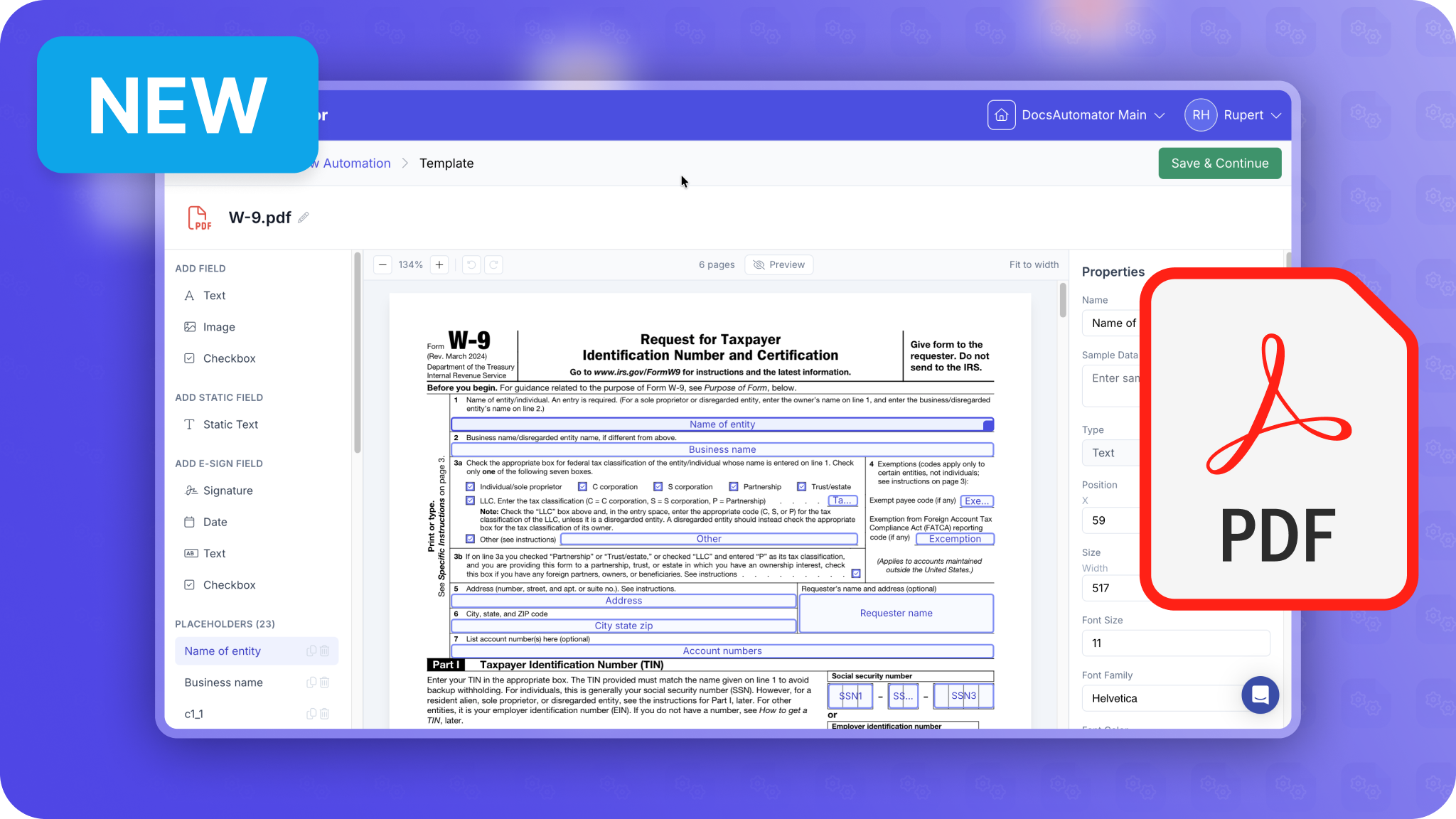
Nested Line Items & More
- Display hierarchical data with up to 3 levels of nesting
- Automatic hierarchical numbering (1, 1.1, 1.1.1)
- Perfect for complex invoices, bills of materials, project reports
- Access data from linked tables directly - no lookup fields required
- Works with single and multiple linked records
- Template Gallery - Browse and select pre-built templates in the app
- Dynamic Subfolders - Use placeholders in Google Drive folder paths
- Line Item Sorting - Sort at all nesting levels
- Merged Cell Support - Templates with merged table cells now work correctly